


.jpg&w=256&q=75&dpl=dpl_Gc2H6qw5qz6tftmNLm7EMoaFVtW7)
.jpg&w=256&q=75&dpl=dpl_Gc2H6qw5qz6tftmNLm7EMoaFVtW7)
.webp&w=256&q=75&dpl=dpl_Gc2H6qw5qz6tftmNLm7EMoaFVtW7)
.webp&w=256&q=75&dpl=dpl_Gc2H6qw5qz6tftmNLm7EMoaFVtW7)



Tutorial
How to Use and Access Alternate Characters & Ligatures in Canva
Insights, tutorials, and type notes from the Timeless Type studio.
.jpg&w=1920&q=75&dpl=dpl_Gc2H6qw5qz6tftmNLm7EMoaFVtW7)
Table of Contents
How to Use and Access Alternate Characters & Ligatures in Canva
Many premium fonts include alternate characters (also called glyphs) and ligatures that add more style and personality to your text. If you’re using Canva for your designs, you can absolutely access and use them — here’s how.
1. Upload Your Font to Canva
Before you can use alternates and ligatures, make sure your font is uploaded to Canva.
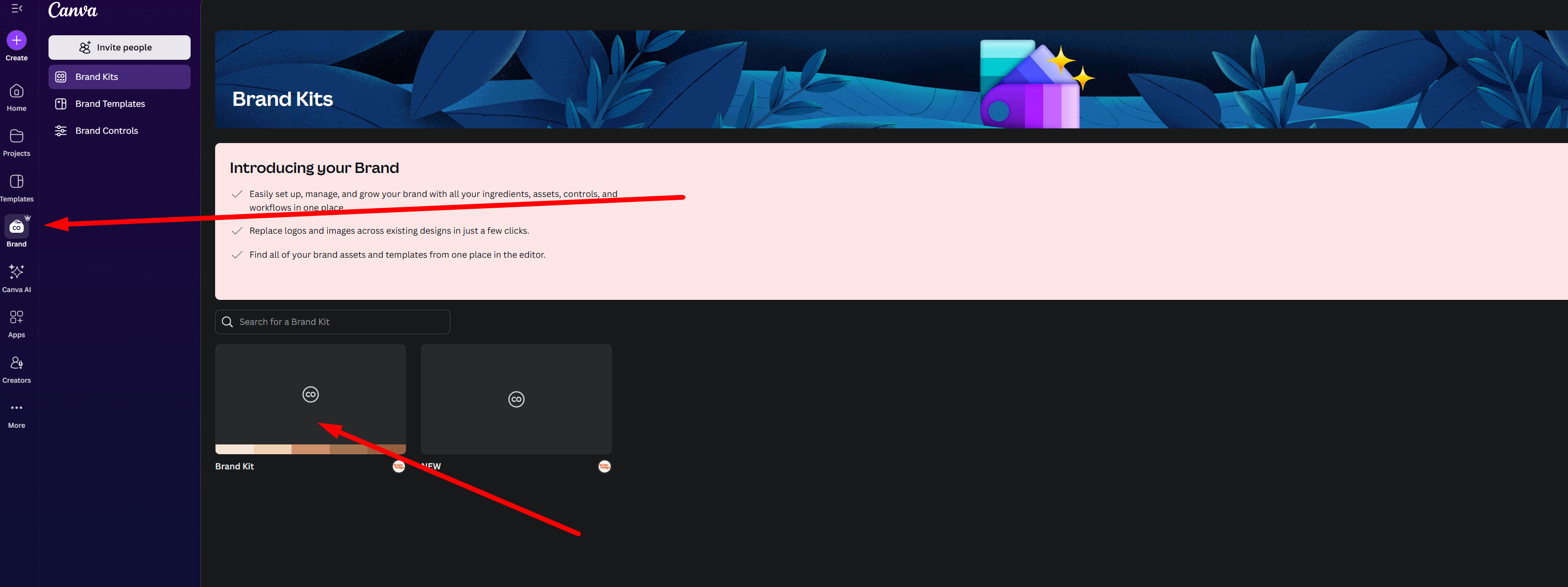
Go to Brand > Brand Kit
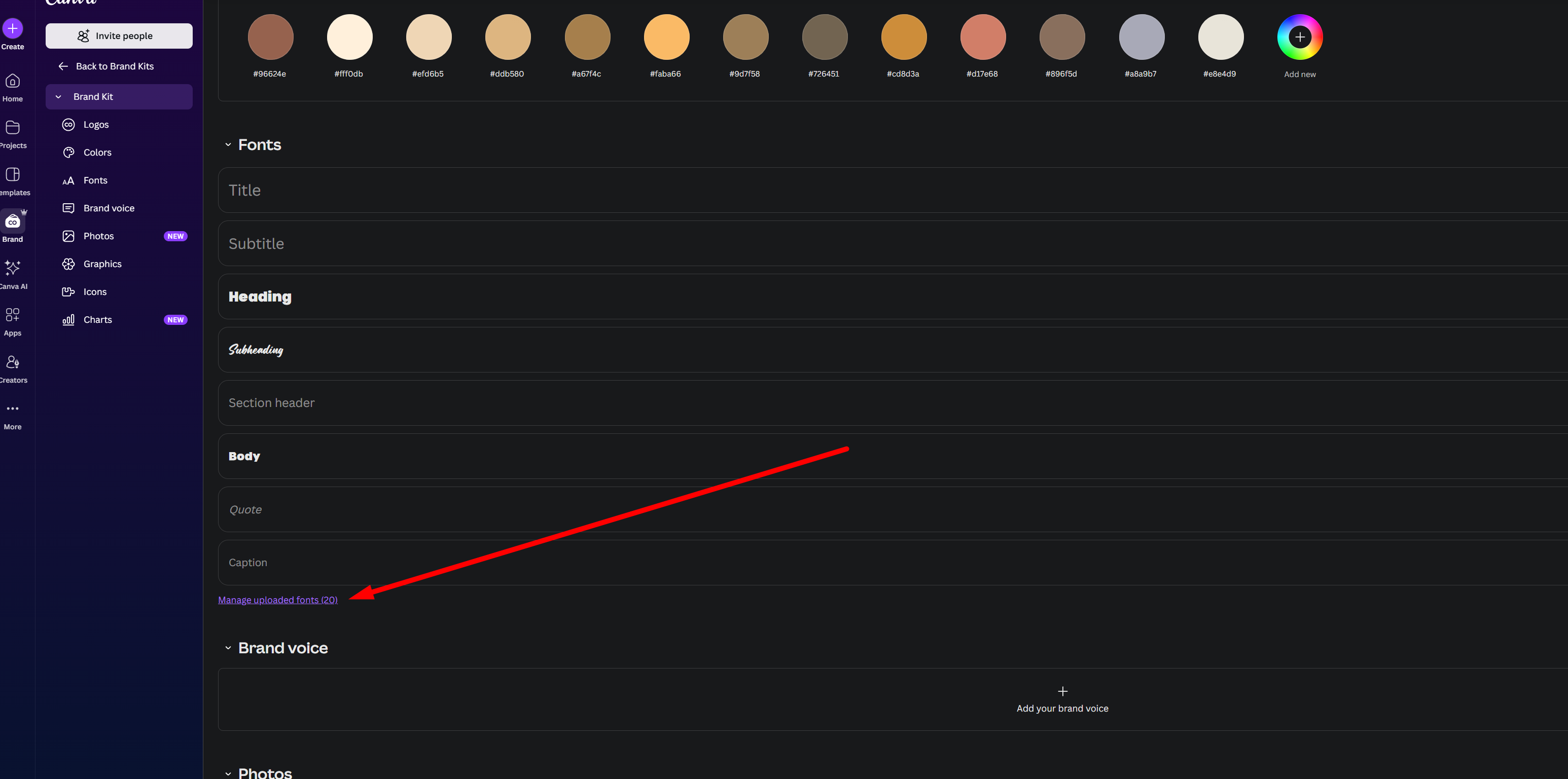
Click Manage Uploaded Fonts
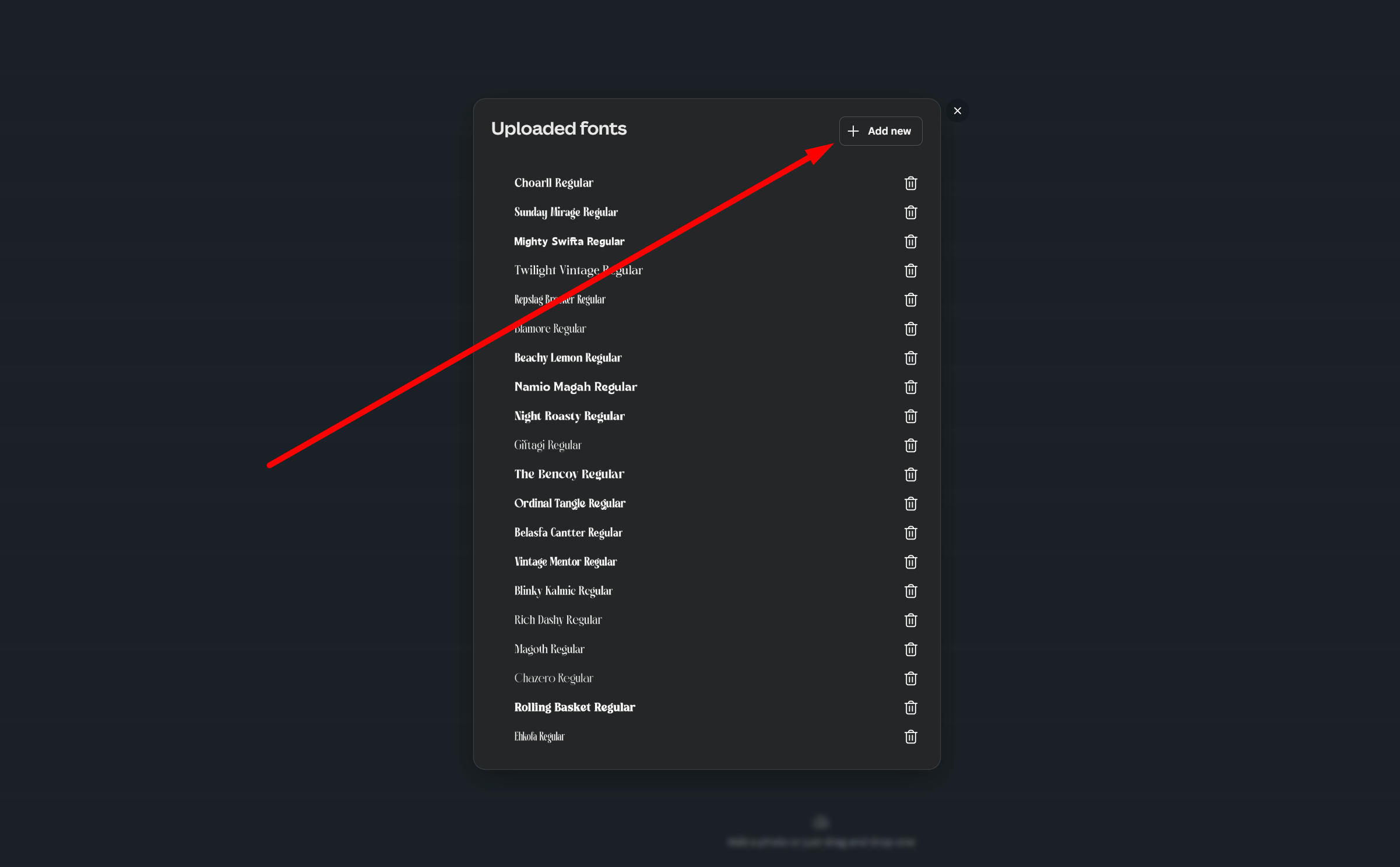
Choose Add New and upload your font file (OTF/TTF)
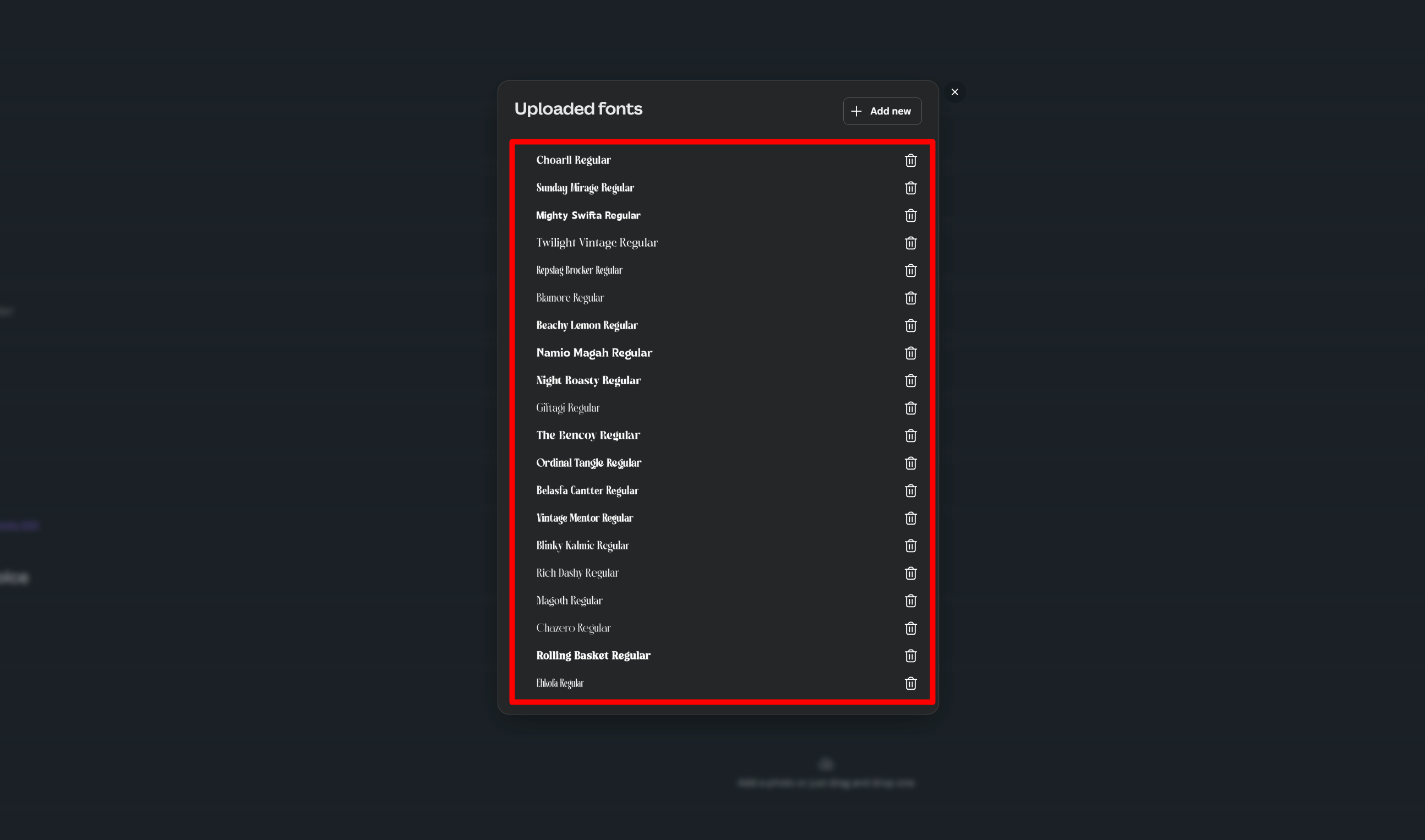
Once uploaded, the font will appear in your font list in Canva
2. Create Your Design in Canva
Open a new design or an existing project
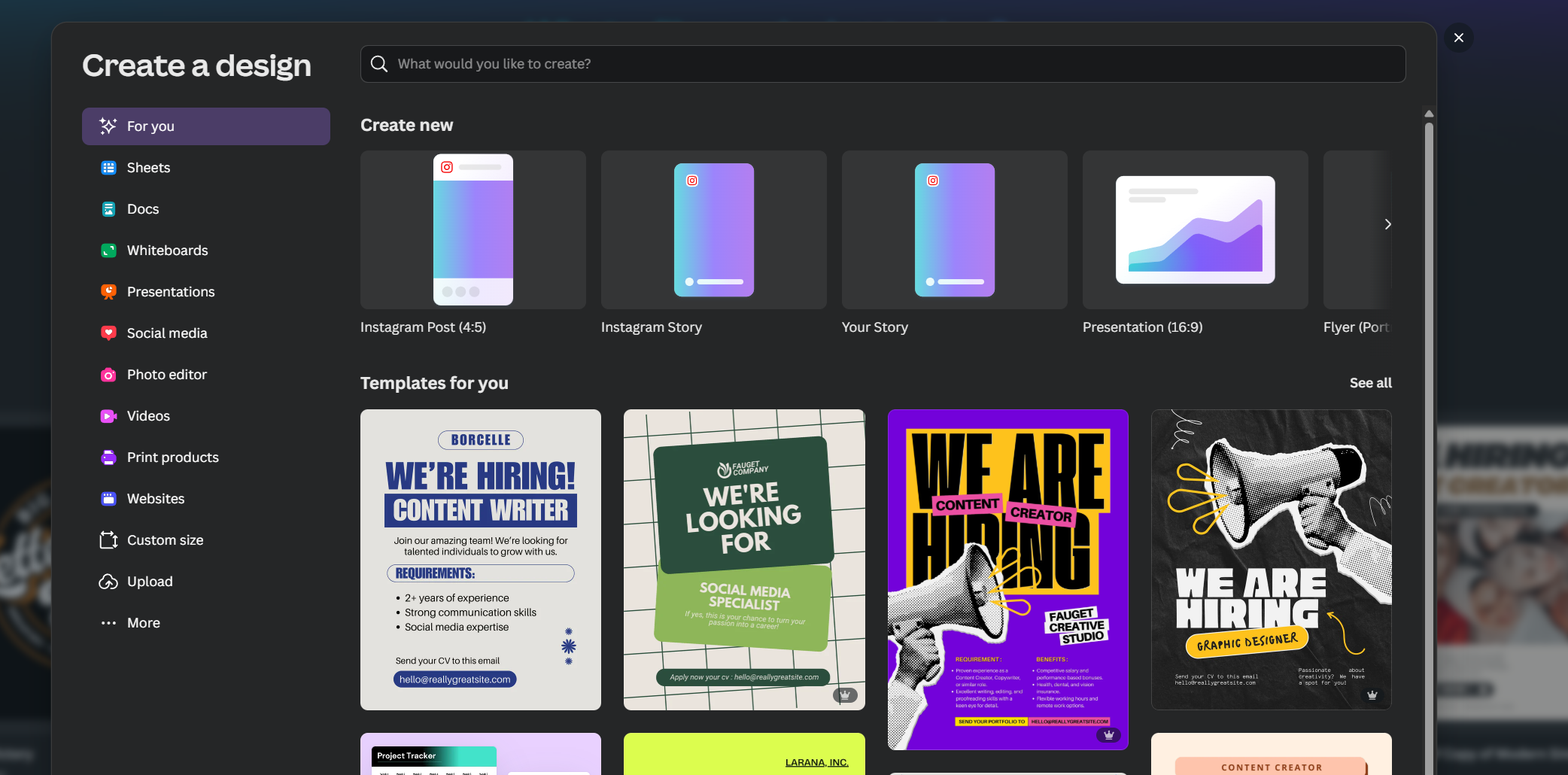
Select the font you uploaded from your font list
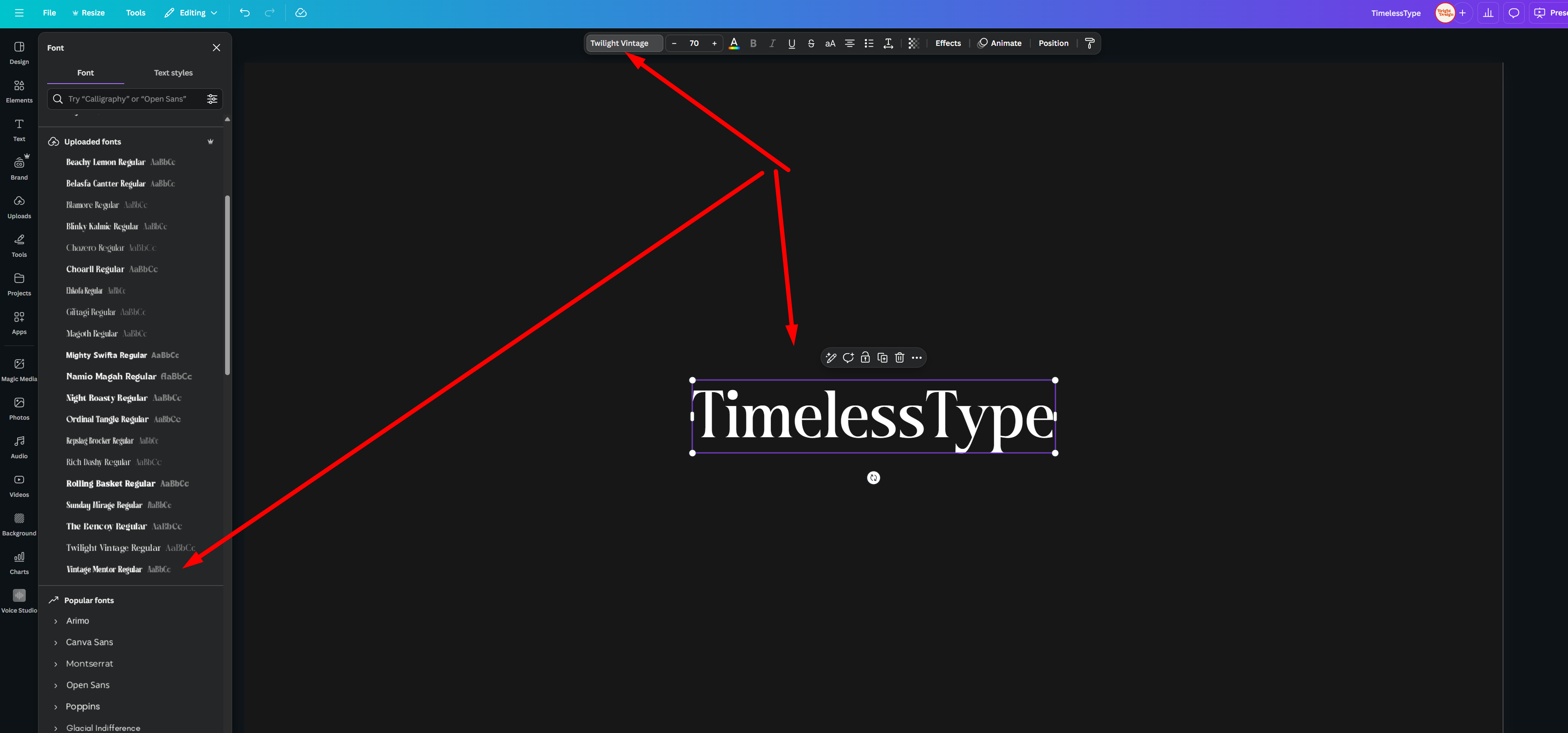
Now you’re ready to insert alternate characters and ligatures
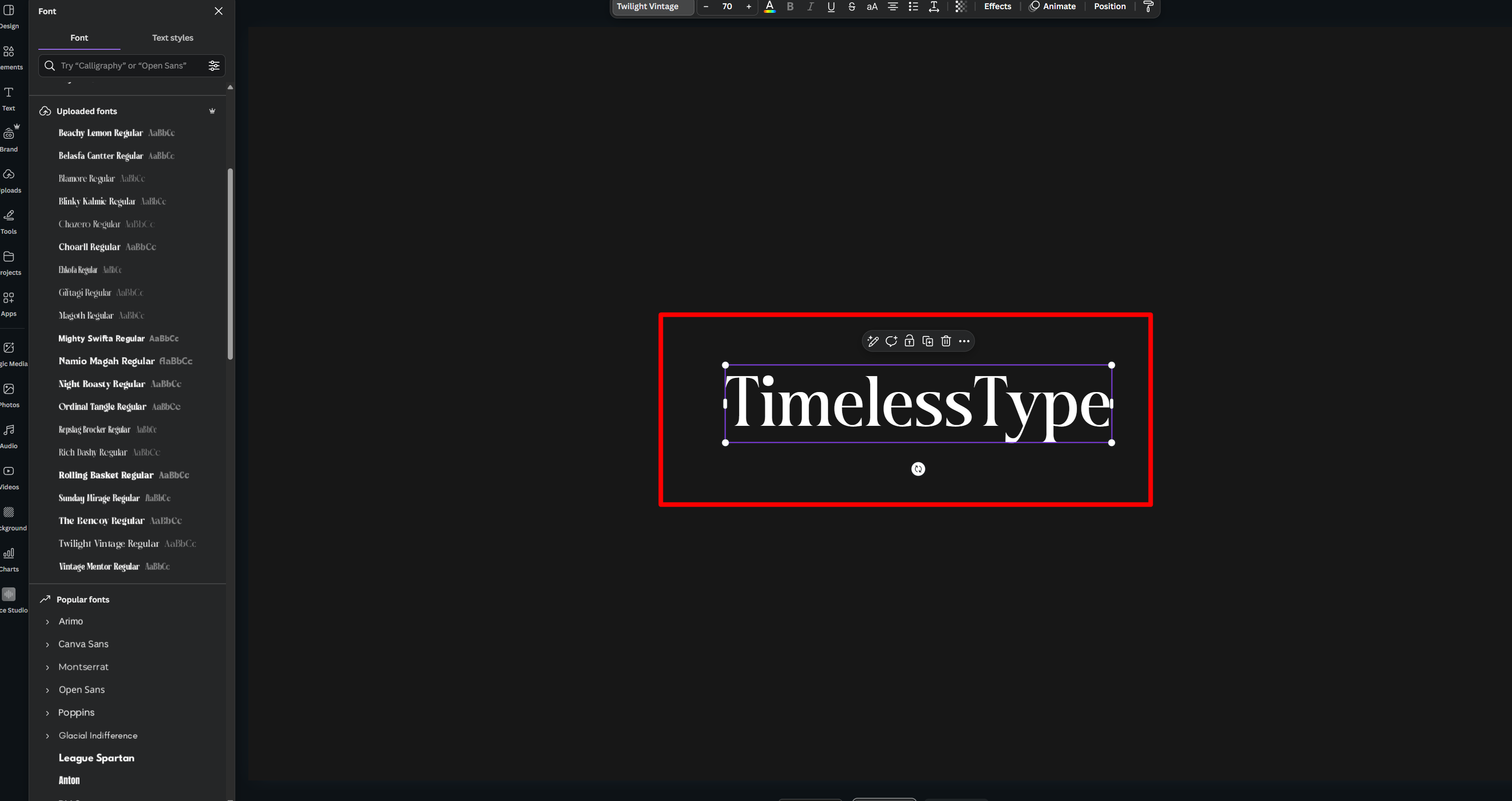
3. Insert Alternate Characters and Ligatures
There are two main ways to do this in Canva:
Method 1: From the Font’s Character Map (Purchased Font Website)
Go to the website where you purchased your font.
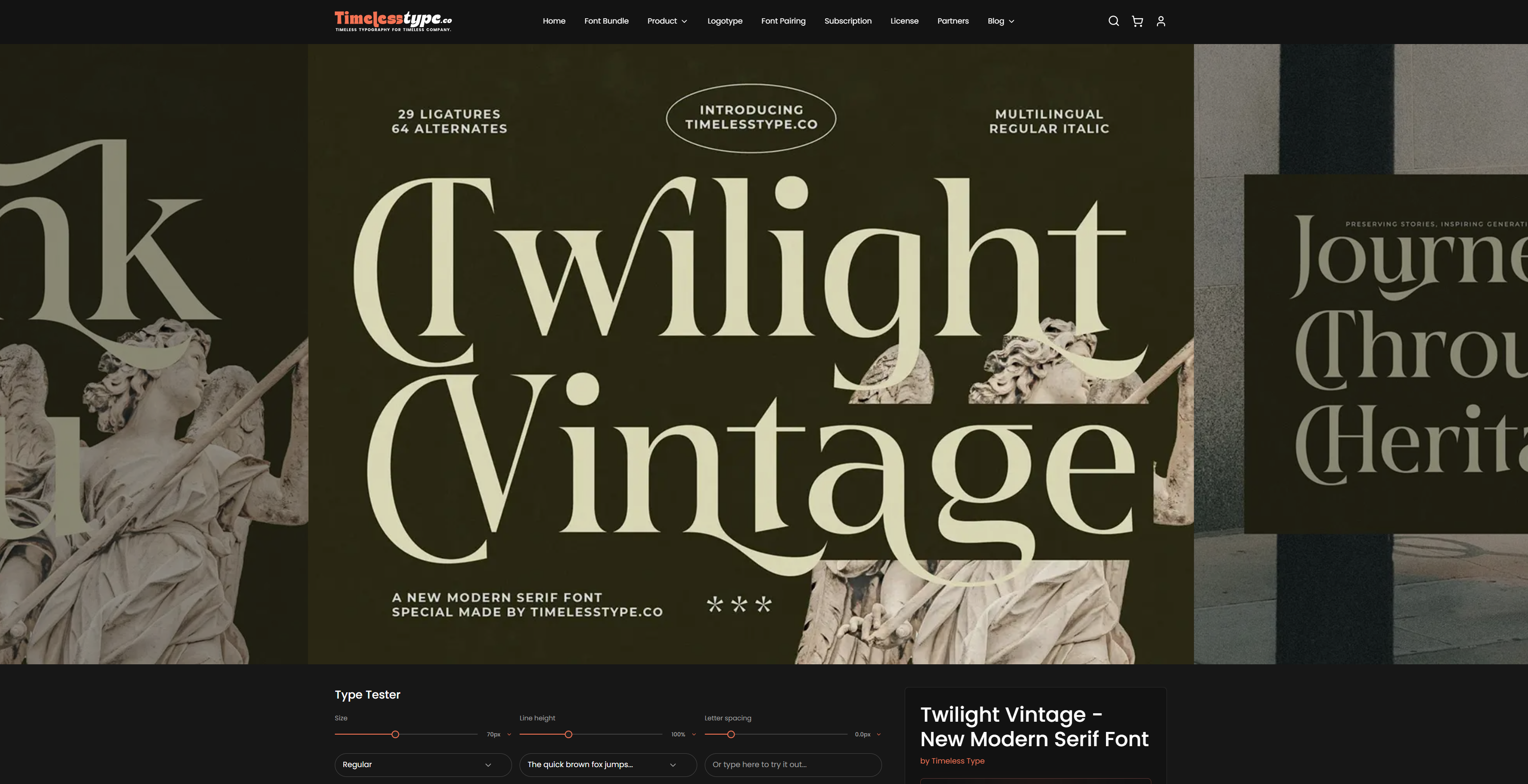
Open the Character Map/Character Set provided with the font.
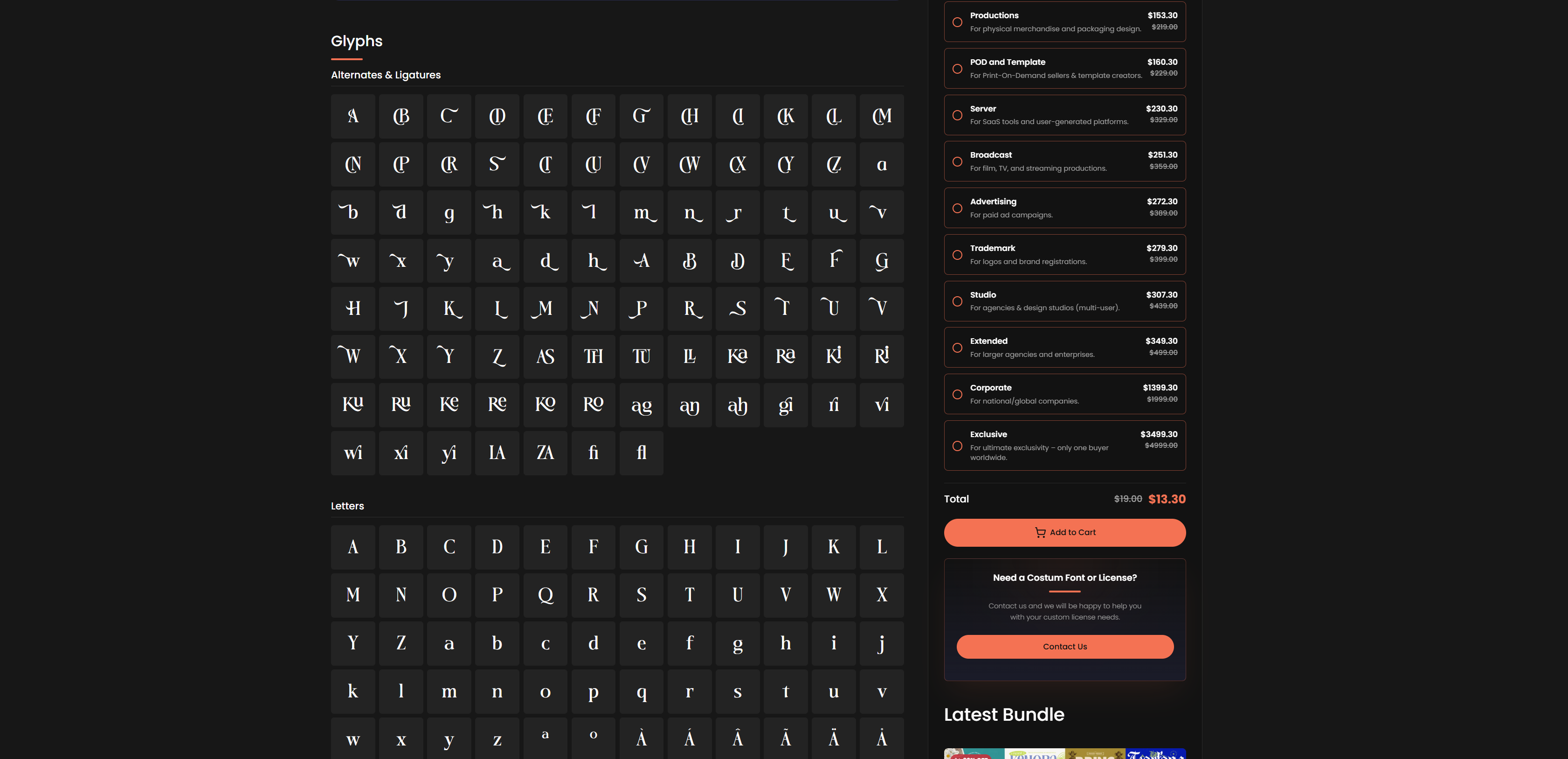
Click the alternate character or ligature you want to use — it will copy automatically.
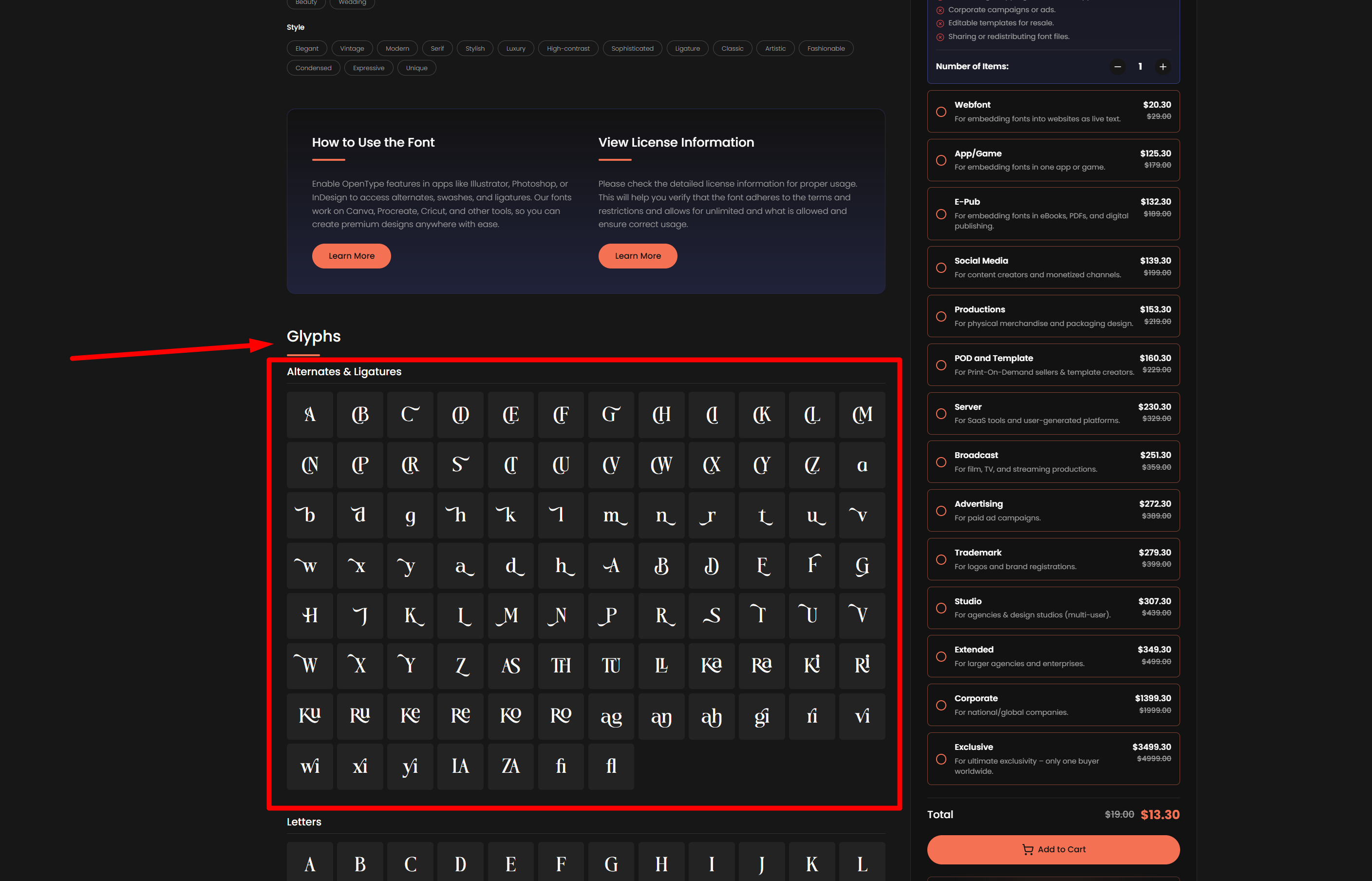
Paste it directly into your Canva text box.
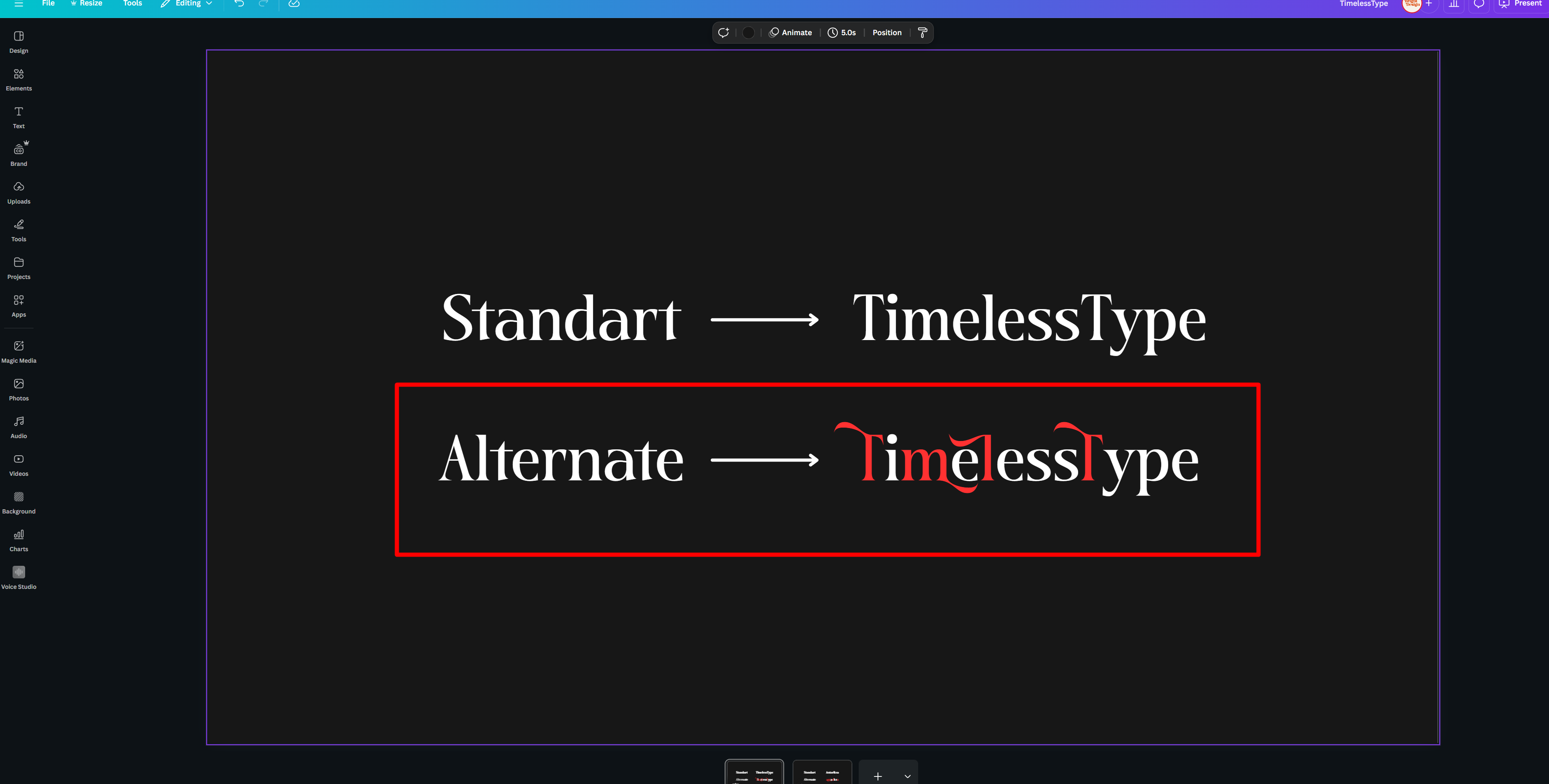
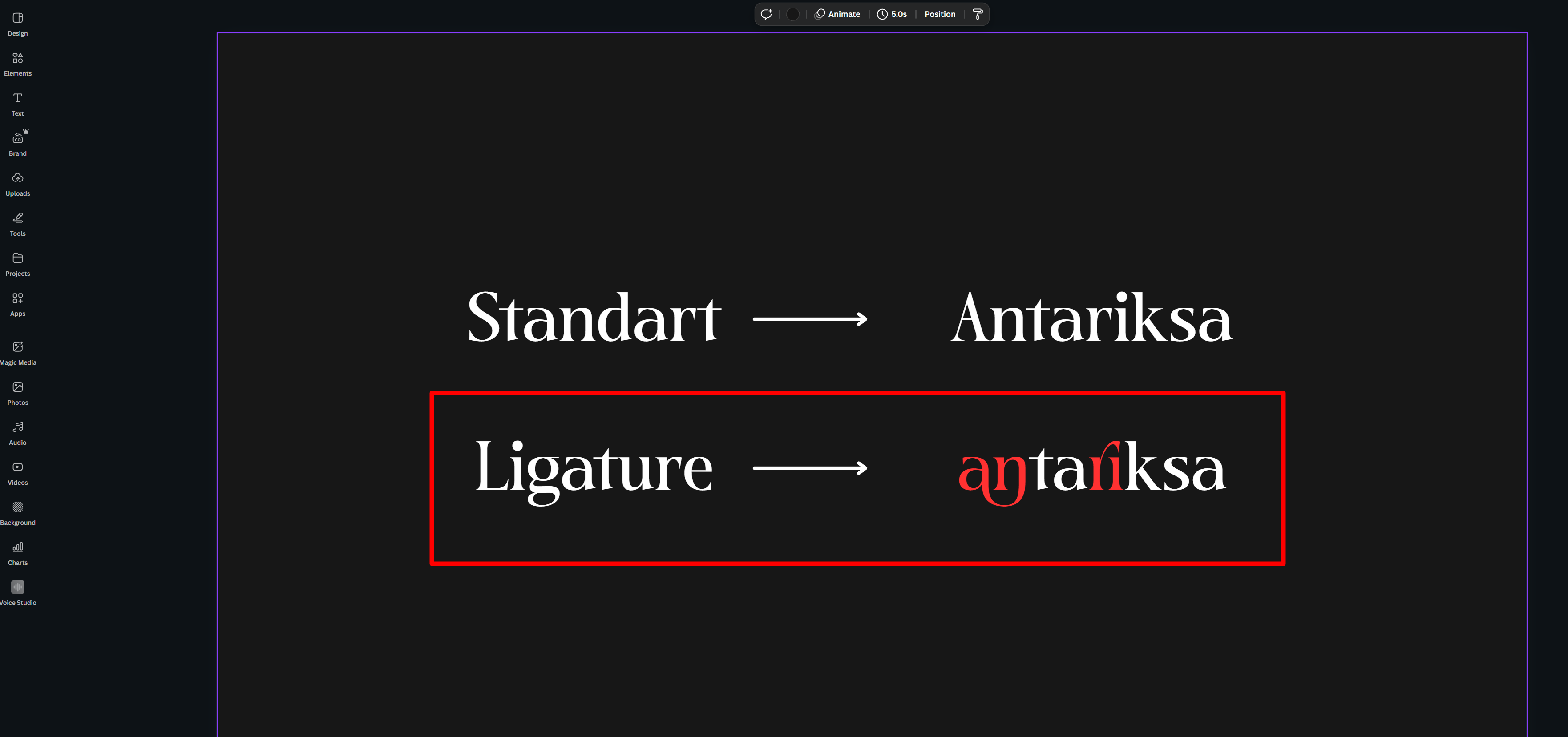
Method 2: Using Font Book (Mac) or Character Map (Windows)
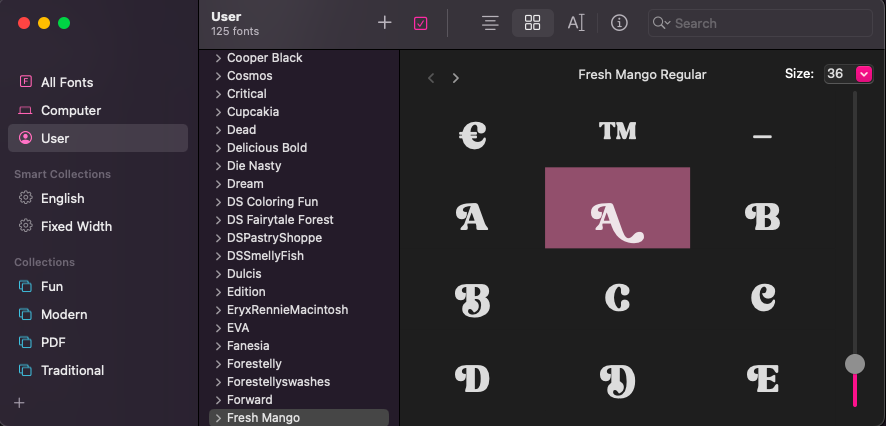
Open your font in Font Book (Mac) or Character Map (Windows).
Scroll through the font to see all available glyphs, alternates, and swashes.
Select the character you want and copy it.
Go back to Canva and paste it exactly where you want it in your design.
Final Thoughts
That’s it! 🎉 Now you know how to bring alternate characters and ligatures into your Canva projects. Even though Canva doesn’t have a built-in glyphs panel, you can still use these creative font features by copying and pasting them from your font’s character map or system tools.
With this little trick, your Canva designs can stand out with beautiful swashes, alternates, and ligatures — perfect for logos, invitations, posters, and more.
👉 Happy designing, and let your creativity flow! ✨
Related
Tags
Browse similar work by purpose and style.
.jpg&w=1920&q=75&dpl=dpl_Gc2H6qw5qz6tftmNLm7EMoaFVtW7)
.jpg&w=1920&q=75&dpl=dpl_Gc2H6qw5qz6tftmNLm7EMoaFVtW7)
.jpg&w=1920&q=75&dpl=dpl_Gc2H6qw5qz6tftmNLm7EMoaFVtW7)
.jpg&w=1920&q=75&dpl=dpl_Gc2H6qw5qz6tftmNLm7EMoaFVtW7)
.jpg&w=1920&q=75&dpl=dpl_Gc2H6qw5qz6tftmNLm7EMoaFVtW7)
.jpg&w=1920&q=75&dpl=dpl_Gc2H6qw5qz6tftmNLm7EMoaFVtW7)
.jpg&w=1920&q=75&dpl=dpl_Gc2H6qw5qz6tftmNLm7EMoaFVtW7)