


.jpg&w=256&q=75&dpl=dpl_Gc2H6qw5qz6tftmNLm7EMoaFVtW7)
.jpg&w=256&q=75&dpl=dpl_Gc2H6qw5qz6tftmNLm7EMoaFVtW7)
.webp&w=256&q=75&dpl=dpl_Gc2H6qw5qz6tftmNLm7EMoaFVtW7)
.webp&w=256&q=75&dpl=dpl_Gc2H6qw5qz6tftmNLm7EMoaFVtW7)



Tutorial
How to Create an Account
Insights, tutorials, and type notes from the Timeless Type studio.
TimelessType.co
October 2, 2025
1 min read
.jpg&w=1920&q=75&dpl=dpl_Gc2H6qw5qz6tftmNLm7EMoaFVtW7)
Table of Contents
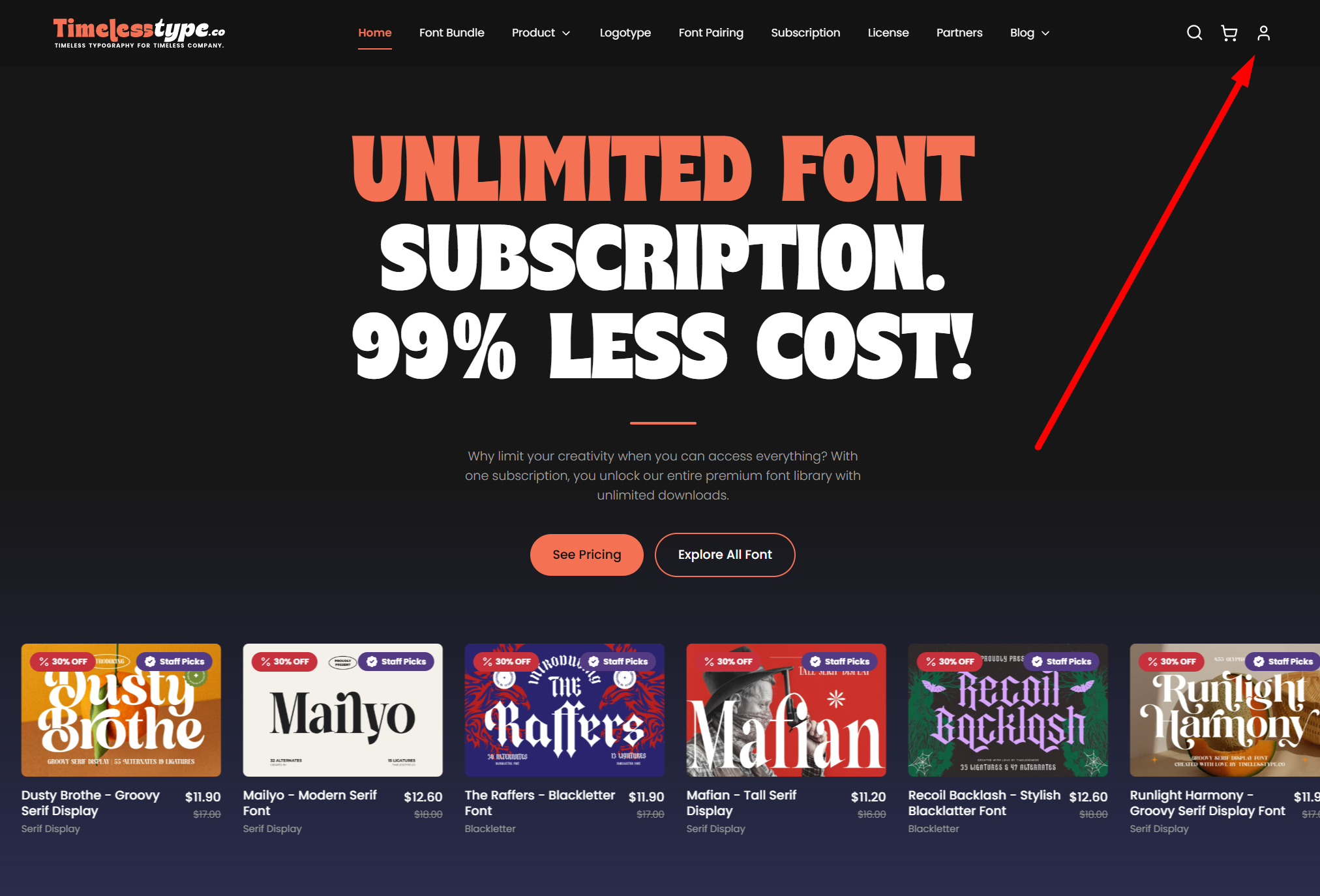
- Click the profile icon on the top-right corner of the page.
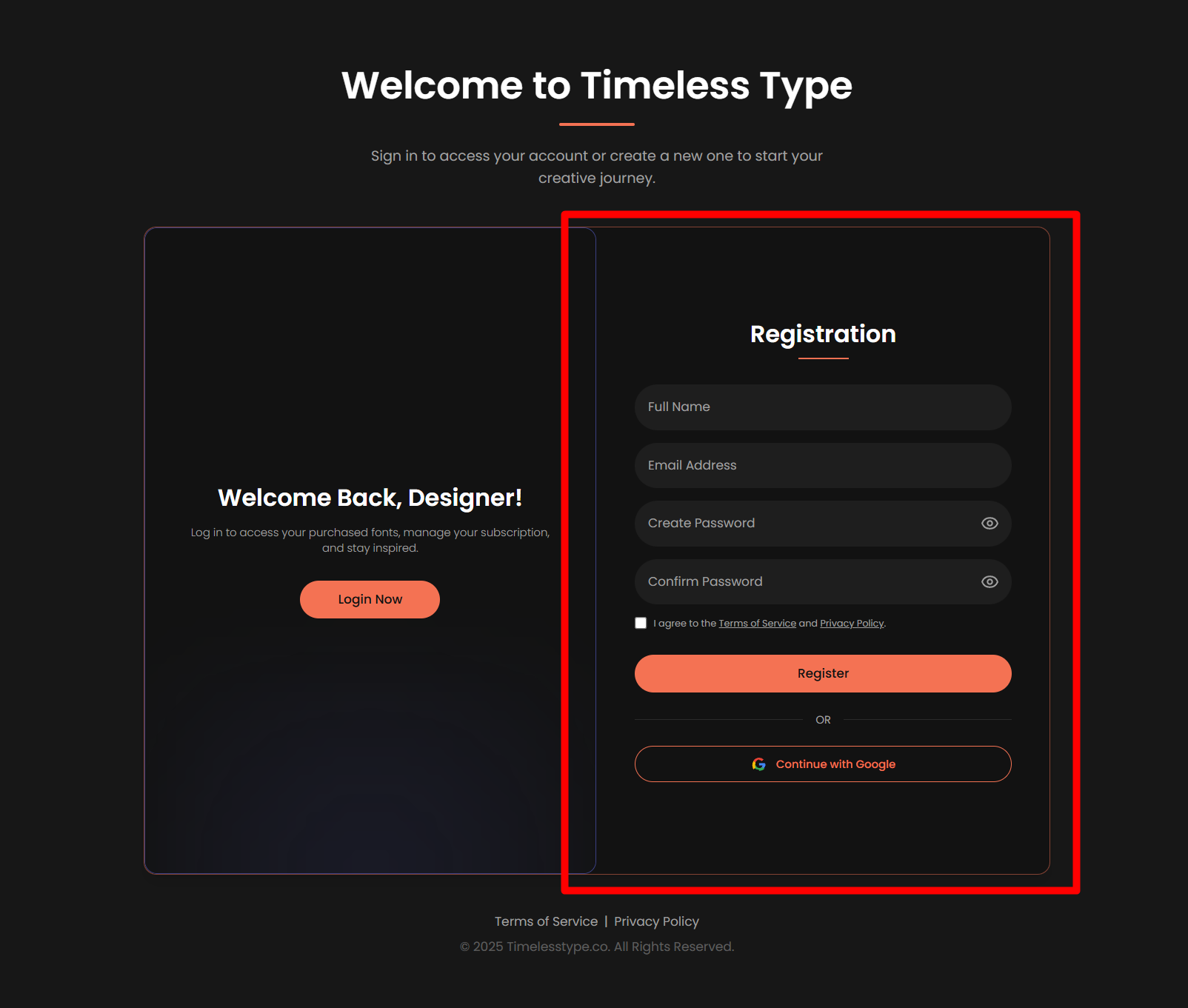
- Select “Register” from the menu.
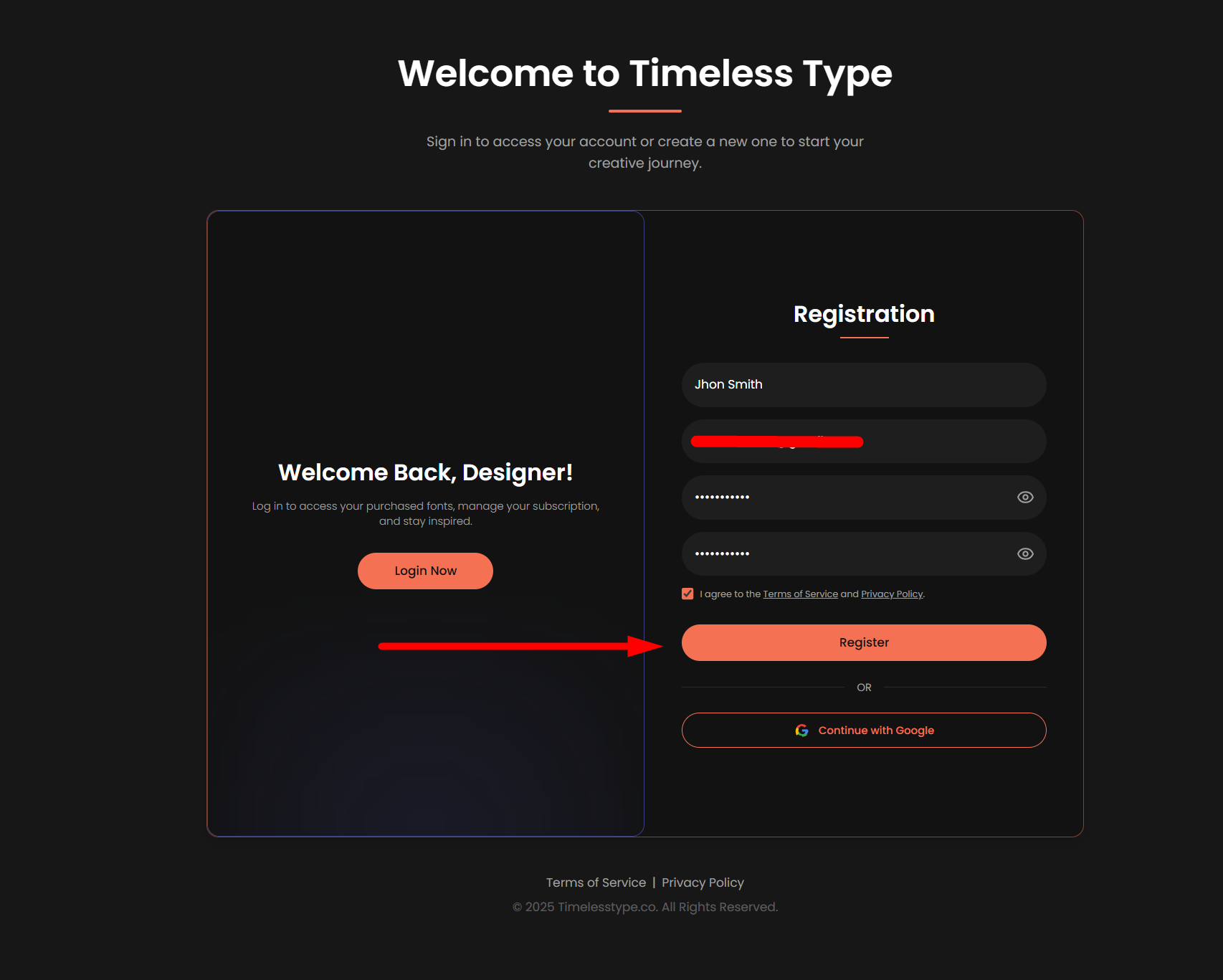
- Fill in your details – enter your name, email address, and create a password. Check the box “I agree to the Terms of Service and Privacy Policy,” then click Register.
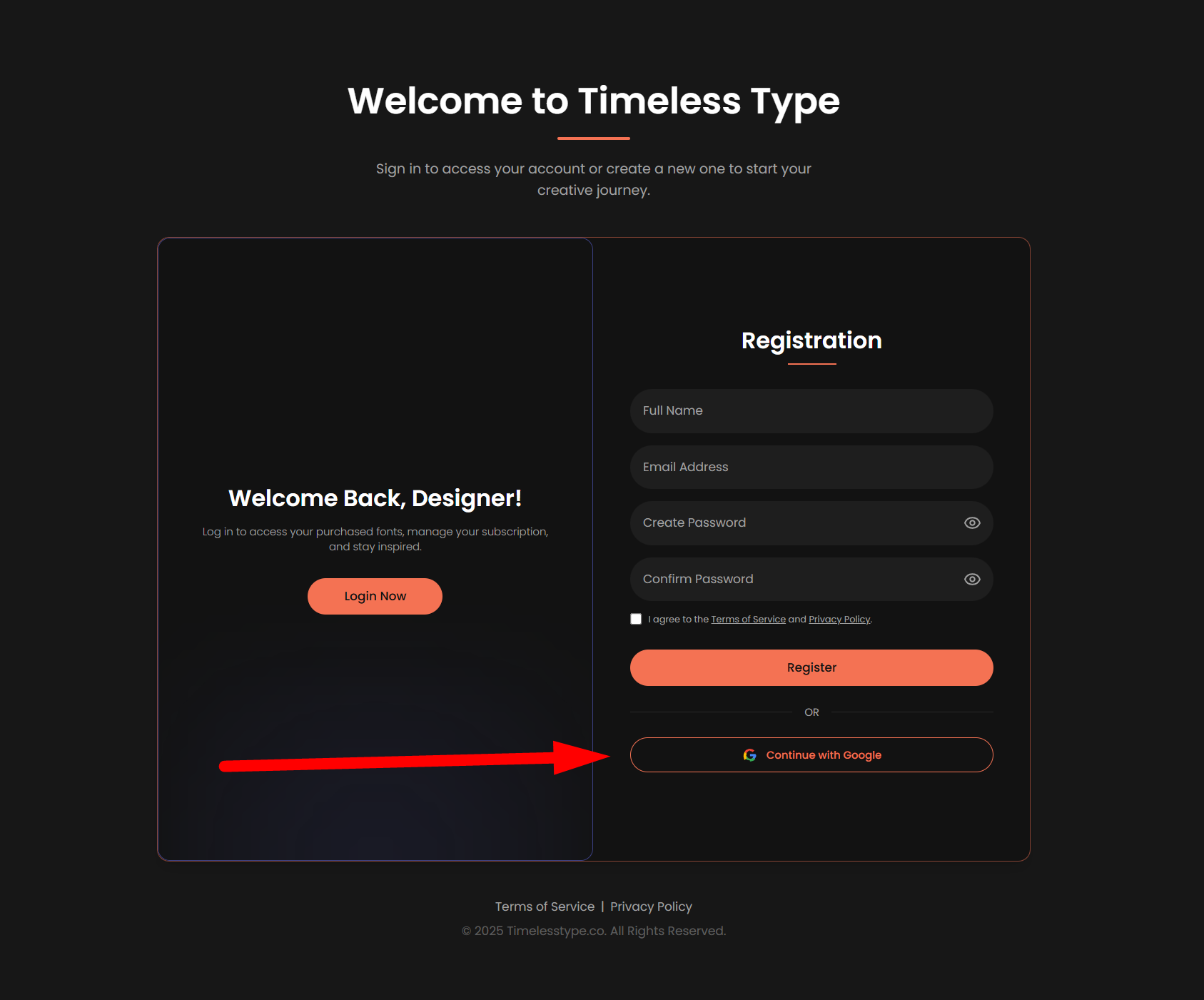
- If you prefer a faster option, simply click “Continue with Google” to sign up instantly.
- If you registered using your email, you will receive a verification notification in your inbox.
- Open your email and click the verification link to confirm your account.
- Once verified, return to your dashboard and you’re ready to start shopping.
How to Create an Account
Creating an account is quick and simple. Just follow the steps below to get started:
Click the profile icon on the top-right corner of the page.
Select “Register” from the menu.
Fill in your details – enter your name, email address, and create a password. Check the box “I agree to the Terms of Service and Privacy Policy,” then click Register.
If you prefer a faster option, simply click “Continue with Google” to sign up instantly.
If you registered using your email, you will receive a verification notification in your inbox.
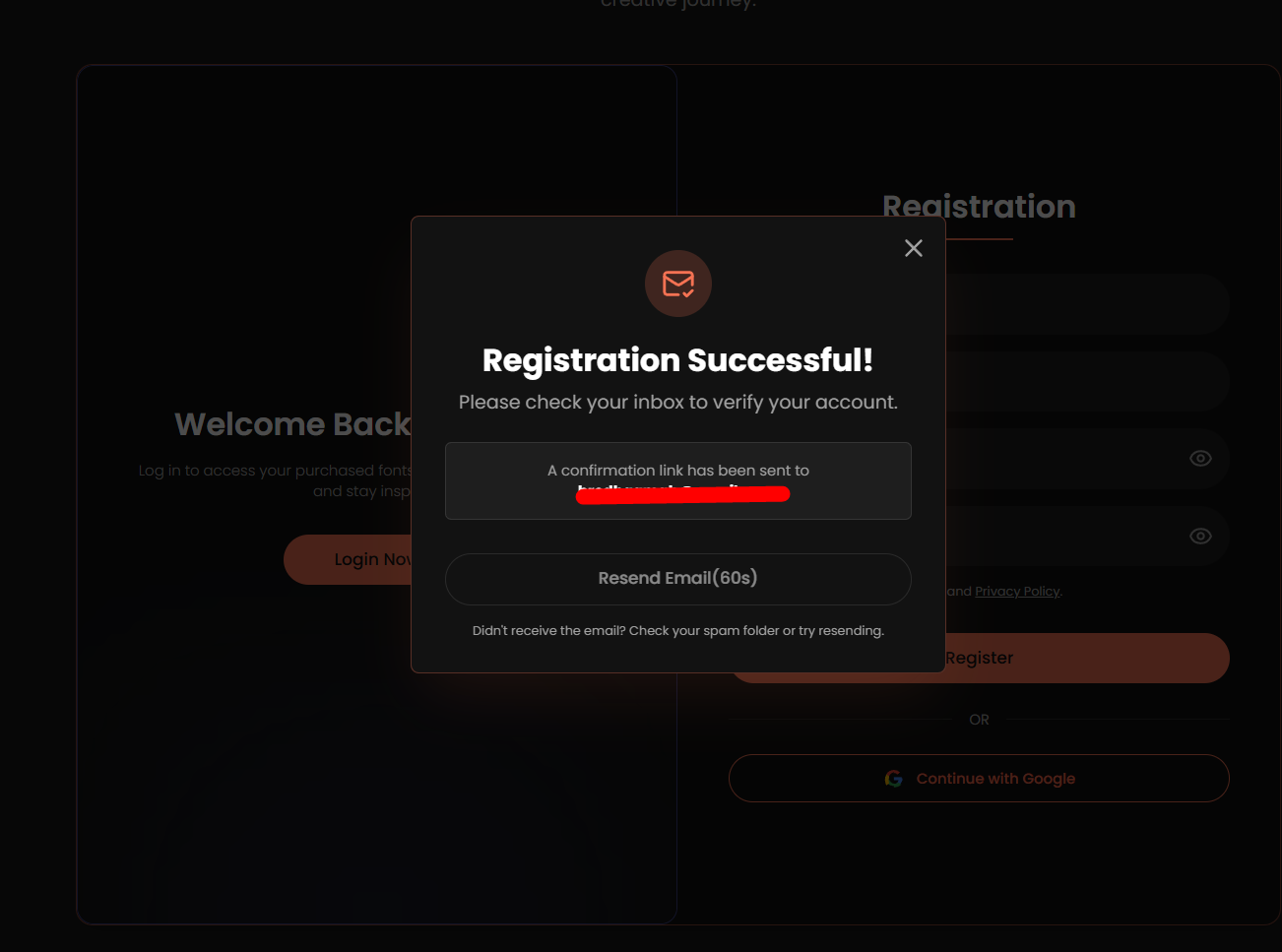
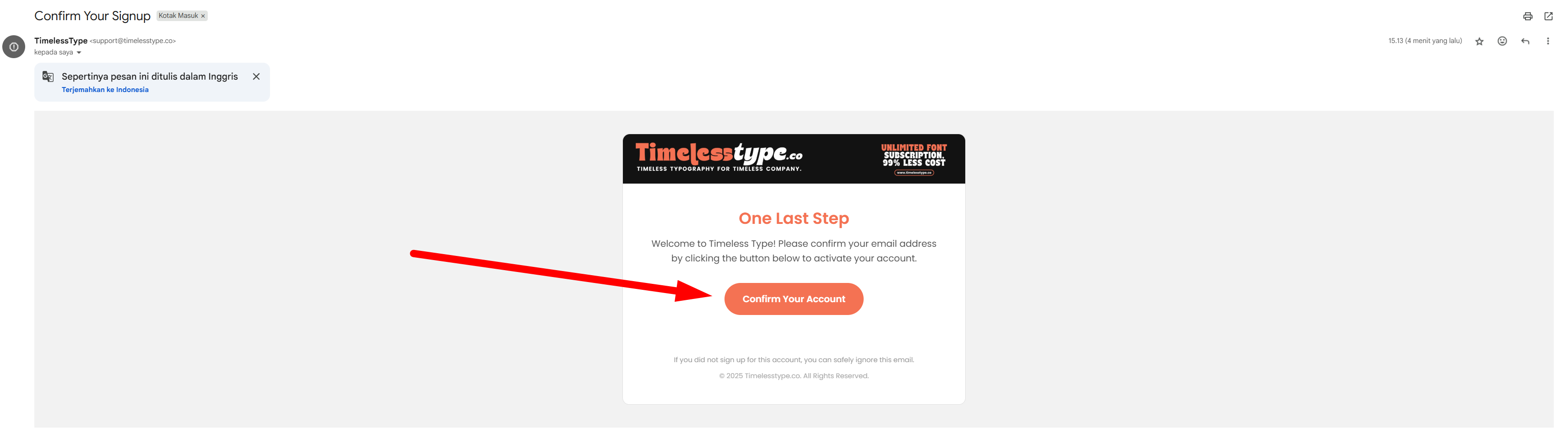
Open your email and click the verification link to confirm your account.
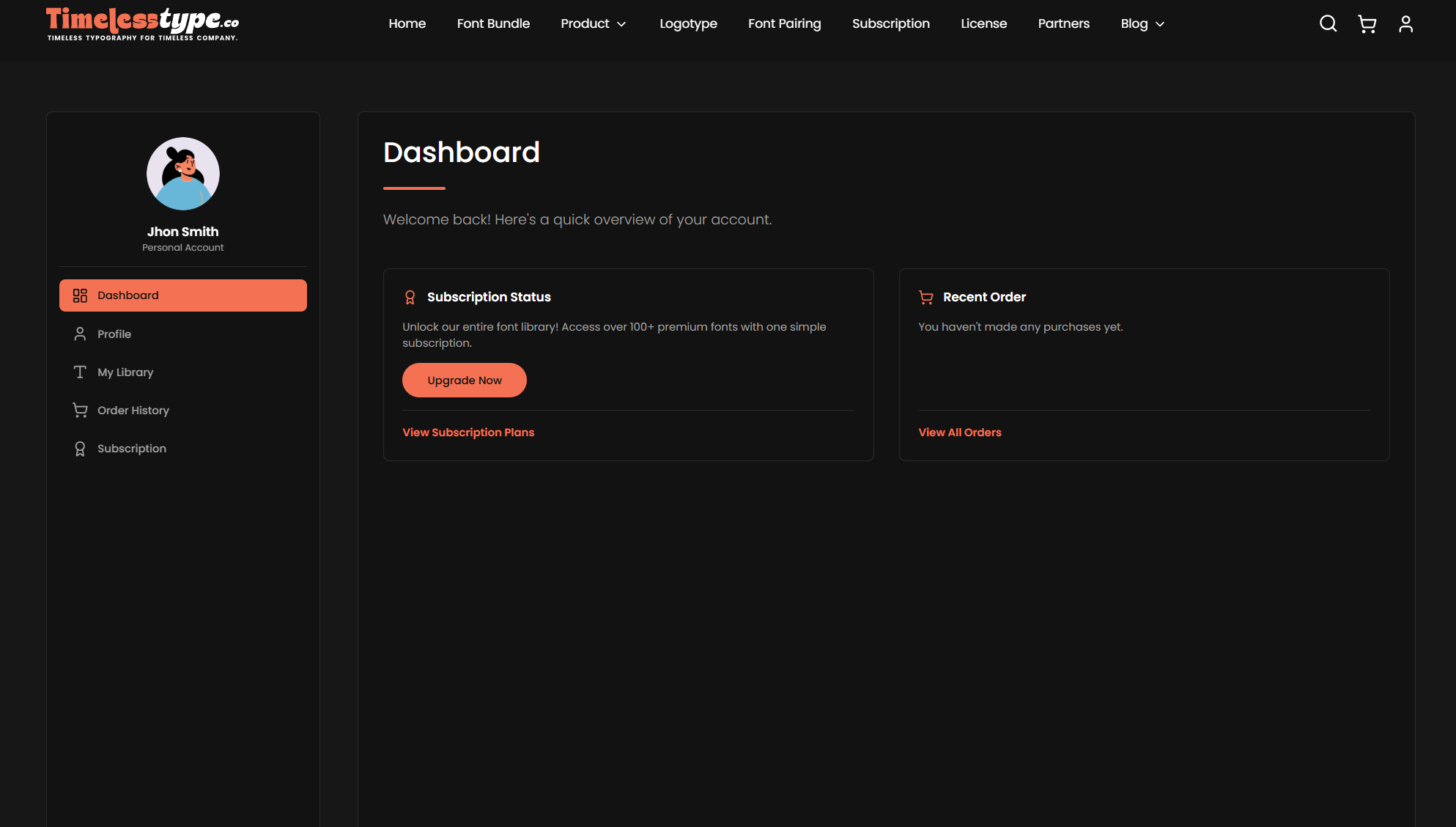
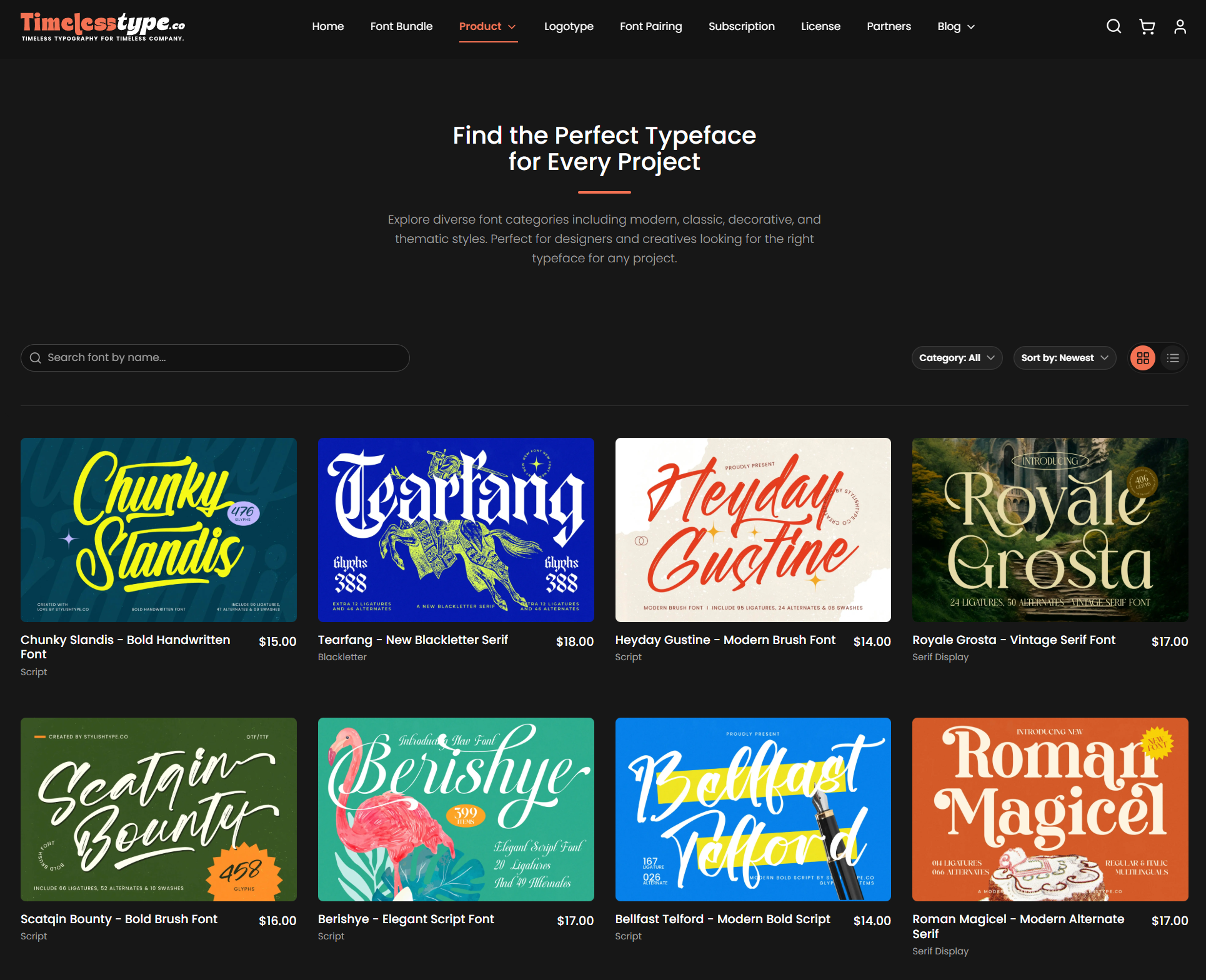
Once verified, return to your dashboard and you’re ready to start shopping.
.jpg&w=1920&q=75&dpl=dpl_Gc2H6qw5qz6tftmNLm7EMoaFVtW7)
.jpg&w=1920&q=75&dpl=dpl_Gc2H6qw5qz6tftmNLm7EMoaFVtW7)
.jpg&w=1920&q=75&dpl=dpl_Gc2H6qw5qz6tftmNLm7EMoaFVtW7)
.jpg&w=1920&q=75&dpl=dpl_Gc2H6qw5qz6tftmNLm7EMoaFVtW7)
.jpg&w=1920&q=75&dpl=dpl_Gc2H6qw5qz6tftmNLm7EMoaFVtW7)
.jpg&w=1920&q=75&dpl=dpl_Gc2H6qw5qz6tftmNLm7EMoaFVtW7)
.jpg&w=1920&q=75&dpl=dpl_Gc2H6qw5qz6tftmNLm7EMoaFVtW7)