


.jpg&w=256&q=75&dpl=dpl_Gc2H6qw5qz6tftmNLm7EMoaFVtW7)
.jpg&w=256&q=75&dpl=dpl_Gc2H6qw5qz6tftmNLm7EMoaFVtW7)
.webp&w=256&q=75&dpl=dpl_Gc2H6qw5qz6tftmNLm7EMoaFVtW7)
.webp&w=256&q=75&dpl=dpl_Gc2H6qw5qz6tftmNLm7EMoaFVtW7)



Tutorial
Introduction to the Dashboard – A Complete Guide
Insights, tutorials, and type notes from the Timeless Type studio.
.jpg&w=1920&q=75&dpl=dpl_Gc2H6qw5qz6tftmNLm7EMoaFVtW7)
Introduction to the Dashboard – A Complete Guide
Your account dashboard is the central hub where you can manage your profile, subscriptions, purchases, and more. Here’s a step-by-step introduction to each section:
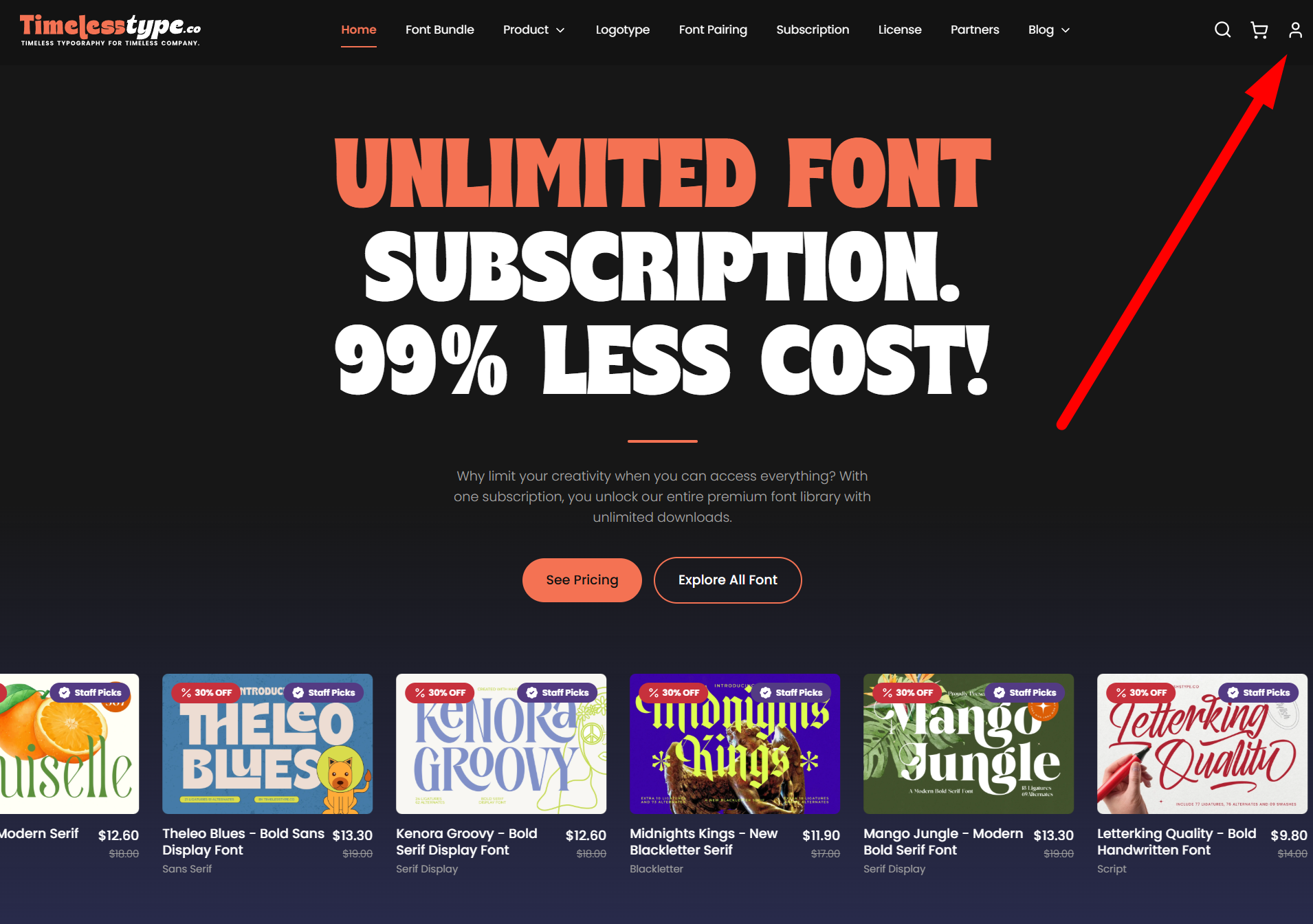
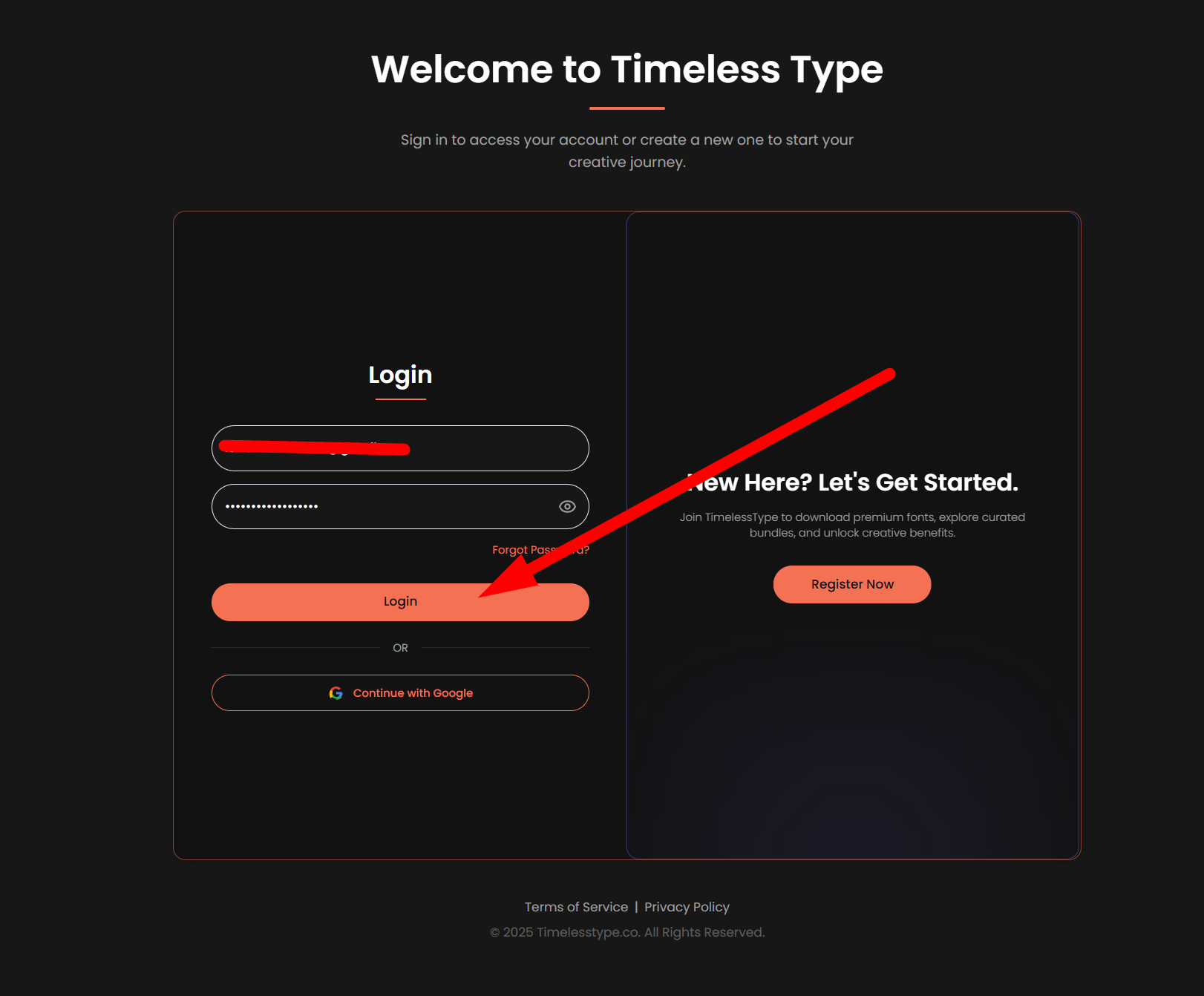
Login to Your Dashboard
Access your dashboard by logging in through the profile icon located at the top-right corner of the page.
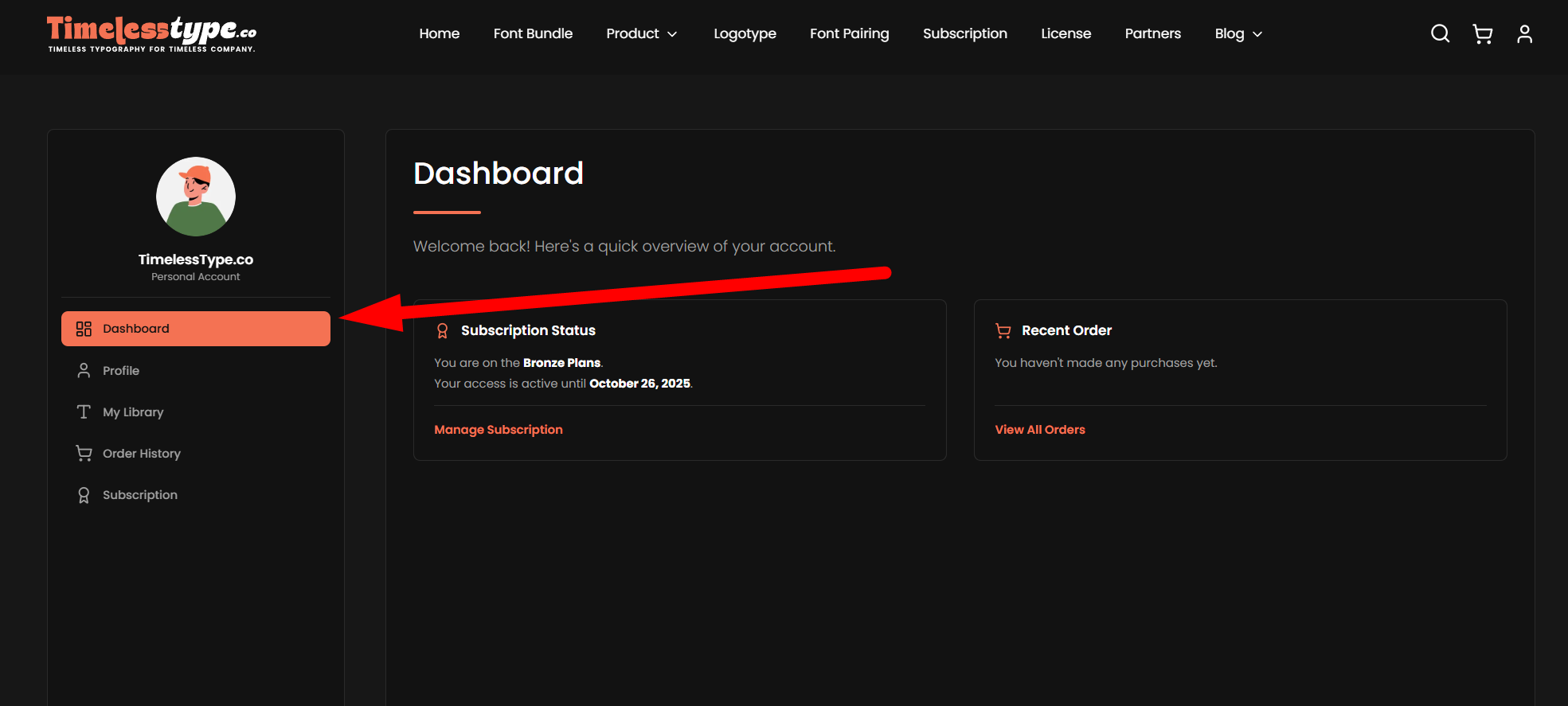
Dashboard Menu
On the left-hand side, you’ll find the dashboard menu. This section allows you to view your subscription status and a summary of your order history.
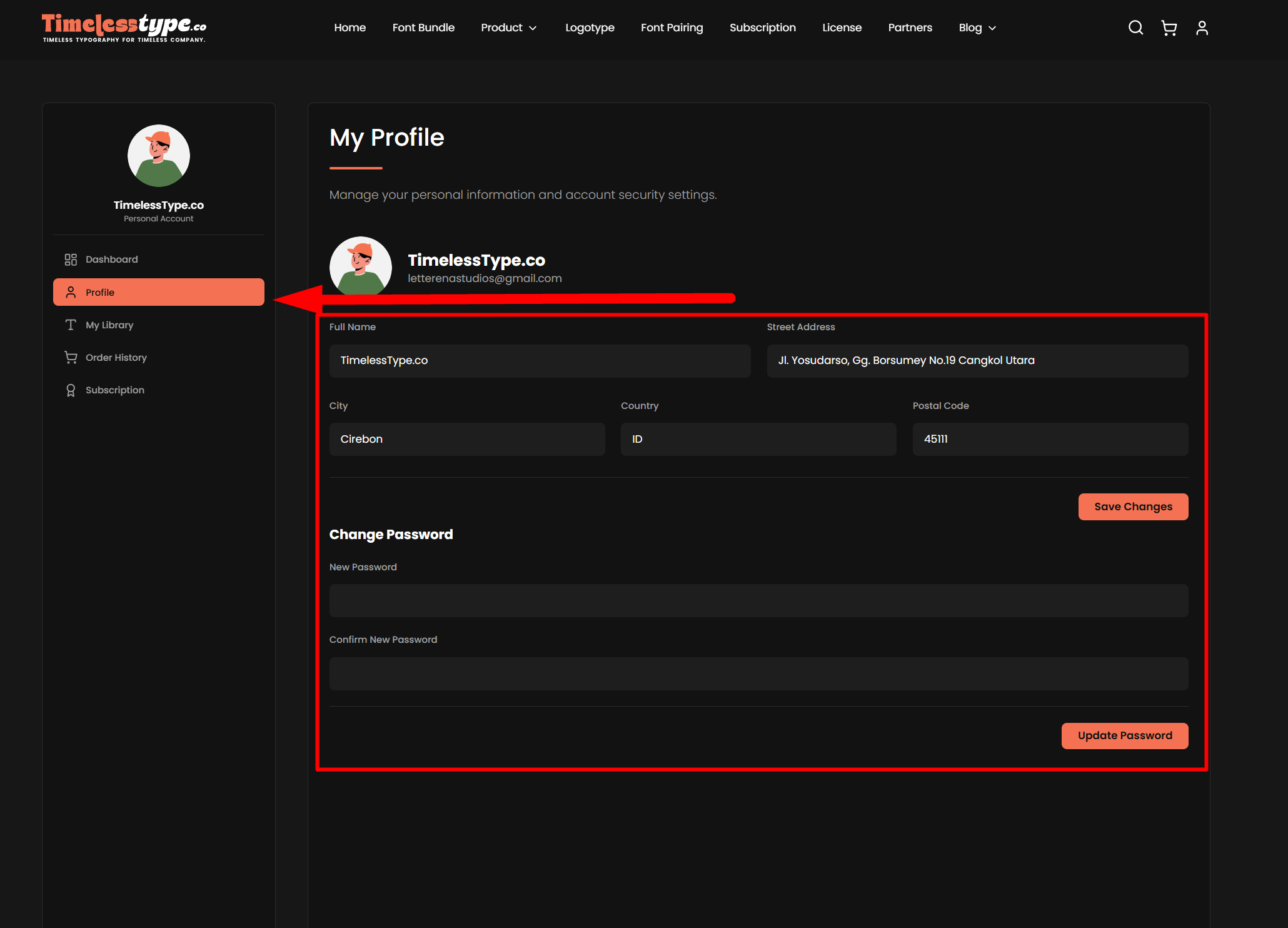
Profile
In the Profile section, you can update your profile picture, name, address, and other details. You can also change your password here if you need to reset or update it.
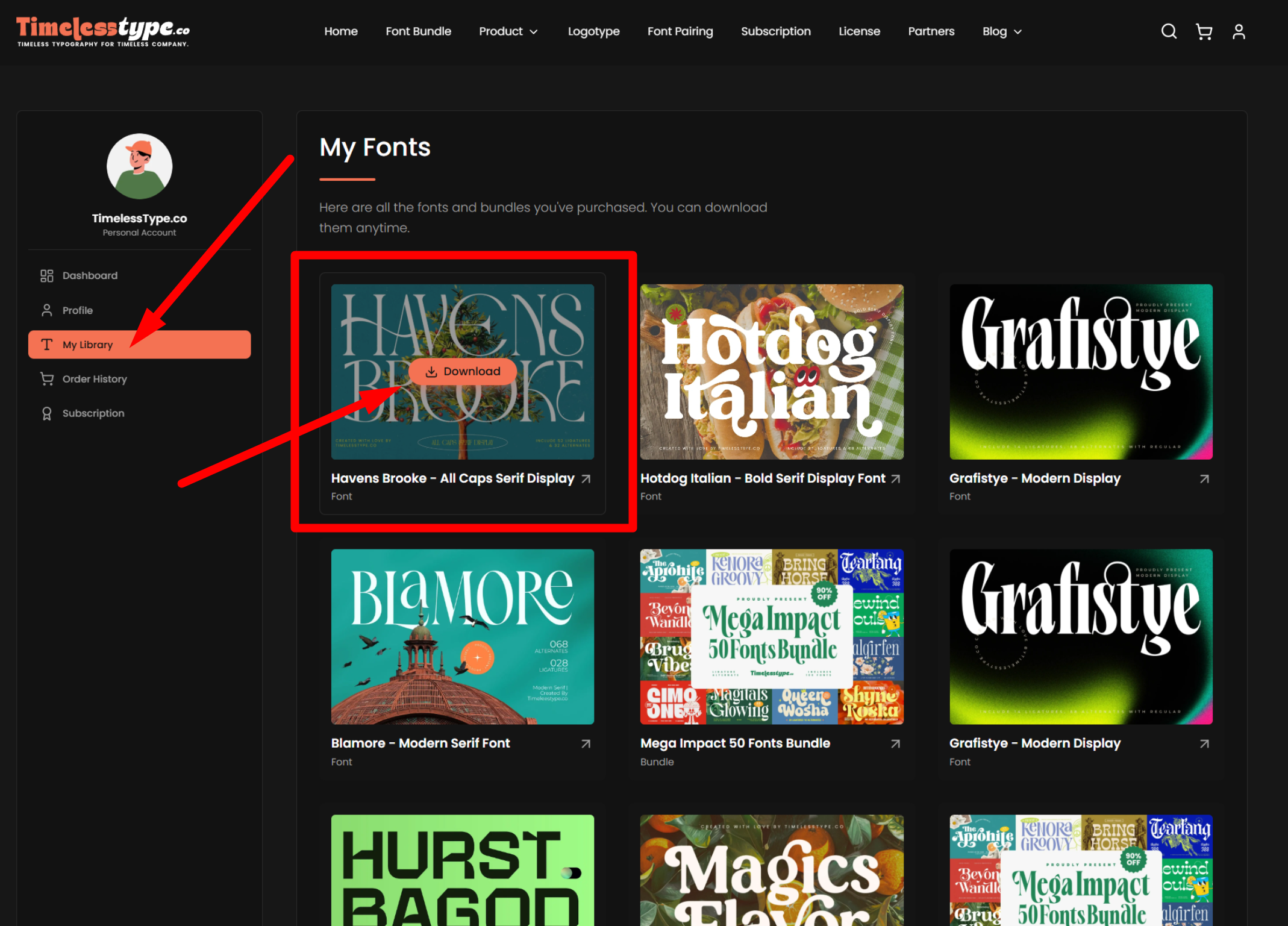
My Library
This section displays the fonts you have purchased or added to your library through a subscription. Hover over any product to reveal the Download button, which lets you instantly download the file. A small arrow icon directs you to the product detail page for more information.
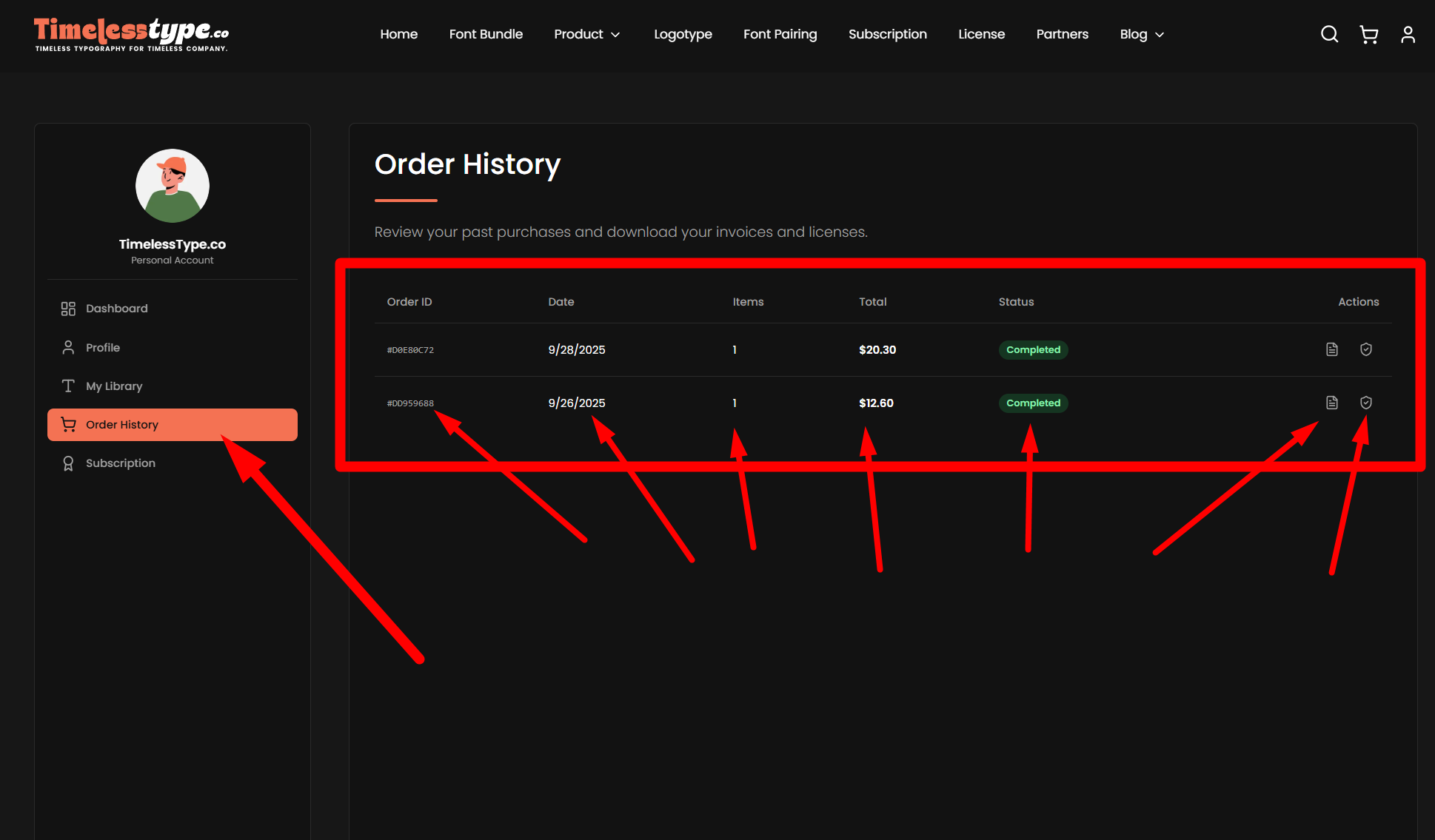
Order History
Here, you can review your invoices, including Order ID, purchase date, quantity, total amount spent, and the order status (completed or failed). Under the Action column, you can directly download your PDF invoice and the EULA of the fonts you’ve purchased.
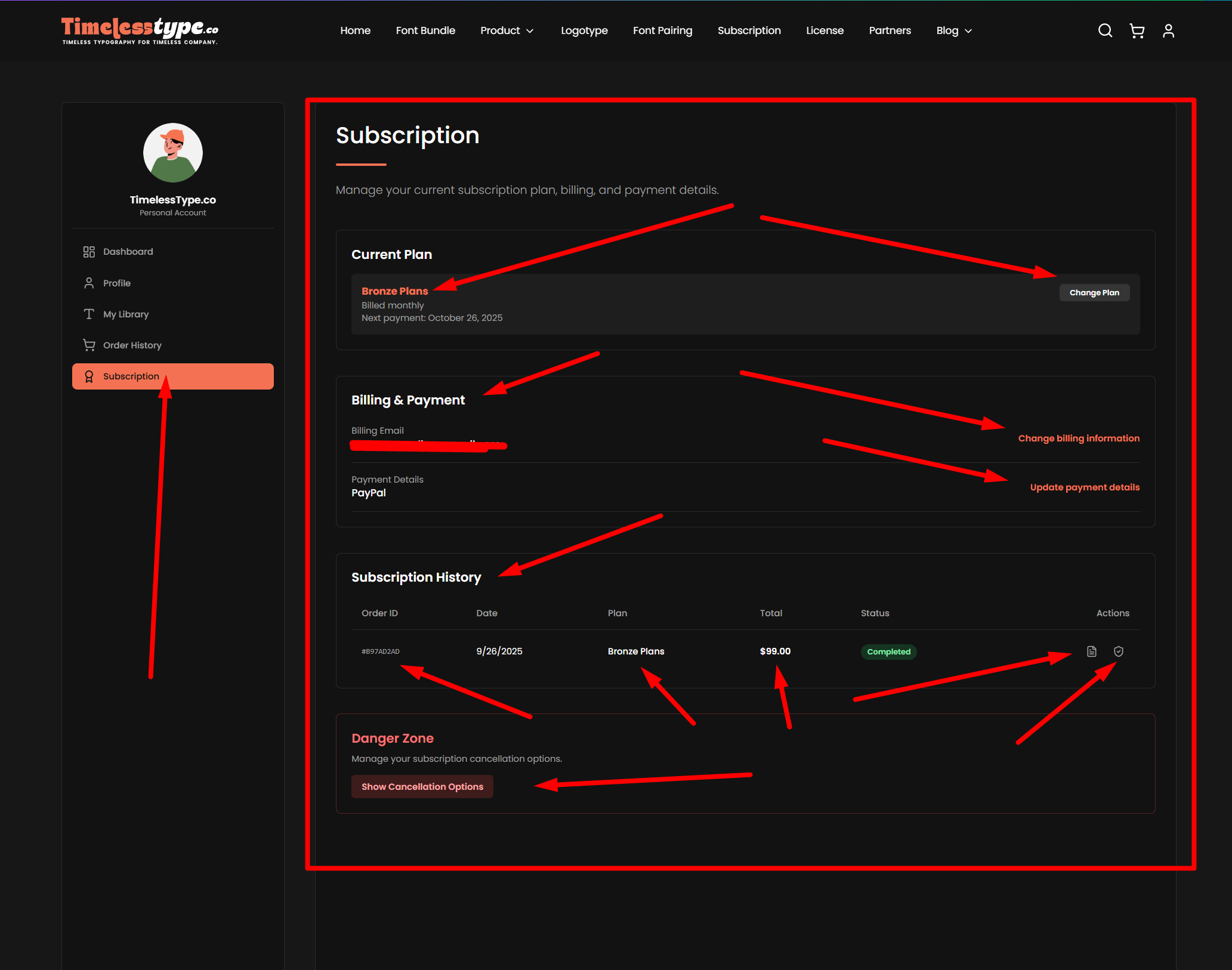
Subscription
This section shows your current subscription status, the payment method you’ve used, and your subscription history. In the Action column, you can download your PDF invoice and EULA. You’ll also find the Danger Zone, where you can cancel your subscription if necessary.
That’s the complete overview of your dashboard. We hope this tutorial helps you navigate and manage your account with ease.
.jpg&w=1920&q=75&dpl=dpl_Gc2H6qw5qz6tftmNLm7EMoaFVtW7)
.jpg&w=1920&q=75&dpl=dpl_Gc2H6qw5qz6tftmNLm7EMoaFVtW7)
.jpg&w=1920&q=75&dpl=dpl_Gc2H6qw5qz6tftmNLm7EMoaFVtW7)
.jpg&w=1920&q=75&dpl=dpl_Gc2H6qw5qz6tftmNLm7EMoaFVtW7)
.jpg&w=1920&q=75&dpl=dpl_Gc2H6qw5qz6tftmNLm7EMoaFVtW7)
.jpg&w=1920&q=75&dpl=dpl_Gc2H6qw5qz6tftmNLm7EMoaFVtW7)
.jpg&w=1920&q=75&dpl=dpl_Gc2H6qw5qz6tftmNLm7EMoaFVtW7)