


.jpg&w=256&q=75&dpl=dpl_Gc2H6qw5qz6tftmNLm7EMoaFVtW7)
.jpg&w=256&q=75&dpl=dpl_Gc2H6qw5qz6tftmNLm7EMoaFVtW7)
.webp&w=256&q=75&dpl=dpl_Gc2H6qw5qz6tftmNLm7EMoaFVtW7)
.webp&w=256&q=75&dpl=dpl_Gc2H6qw5qz6tftmNLm7EMoaFVtW7)



Tutorial
From Browse to Download: Your Guide to Purchasing Fonts on Timeless Type
Insights, tutorials, and type notes from the Timeless Type studio.
.jpg&w=1920&q=75&dpl=dpl_Gc2H6qw5qz6tftmNLm7EMoaFVtW7)
Table of Contents
Welcome to Timeless Type!
We're thrilled to help you find the perfect typeface to bring your creative projects to life. If you're new here and wish to purchase fonts individually without a subscription, we’ve designed a simple and secure checkout process.
This step-by-step guide will walk you through the entire journey, from discovering a font you love to downloading it to your computer. Let’s get started!
Step 1: Explore and Select Your Font
Begin by browsing our curated collection of high-quality fonts. Whether you're looking for a bold serif for a headline or an elegant script for an invitation, you'll find a world of typographic inspiration. Once you find a font that catches your eye, click on it to view its dedicated detail page.

Step 2: Choose Your License
On the font detail page, you can test the typeface and see it in action. Before you can add it to your cart, you'll need to select the right license for your needs. Use the dropdown menu to choose from options like "Standard," "Webfont," or "Extended," depending on how you plan to use the font.
.gif)
Step 3: Add to Cart
With your license selected, simply click the "Add to Cart" button. A notification will pop up, and you'll see the cart icon at the top of the page update, confirming that the font is now in your shopping cart, ready for checkout.
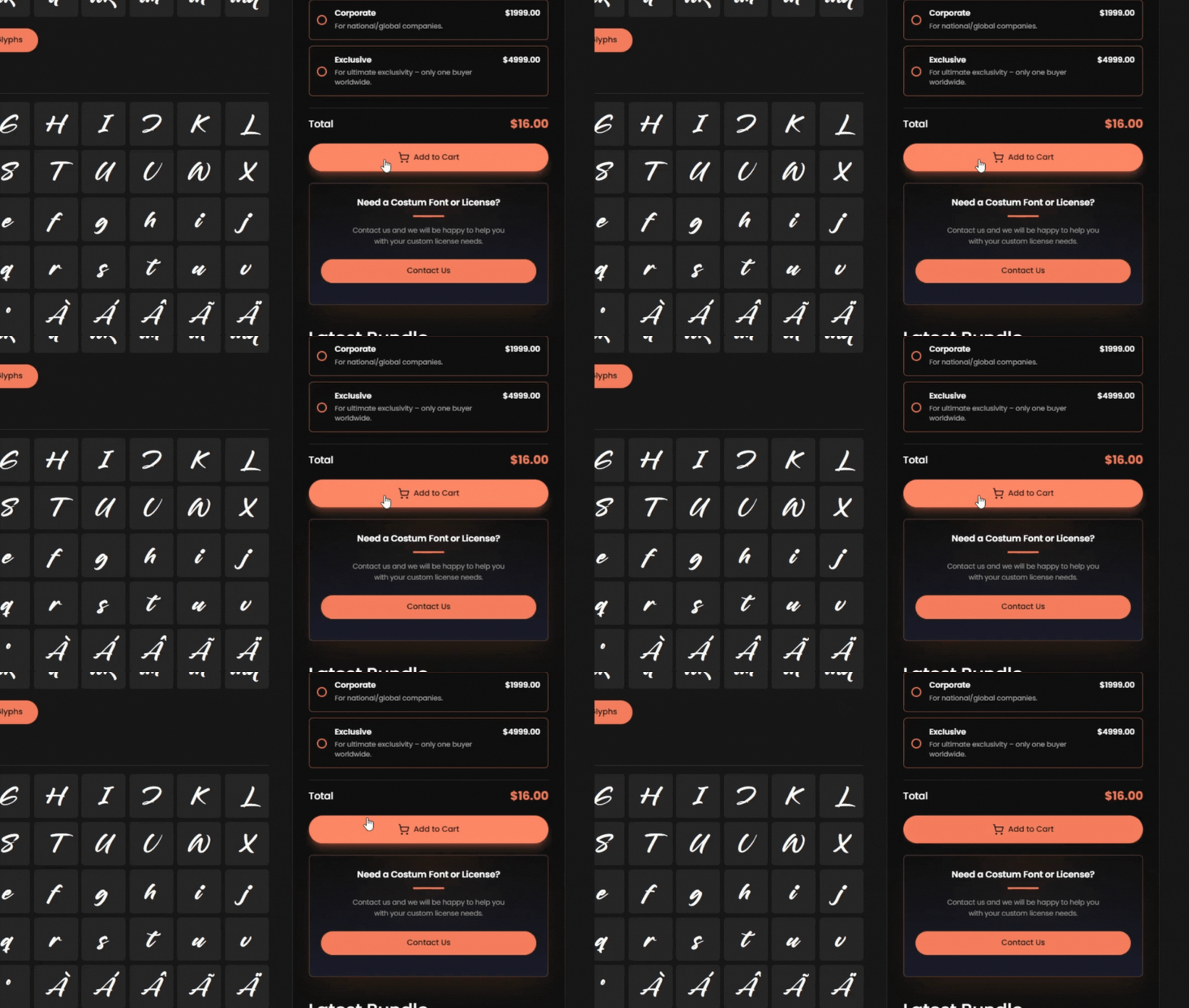
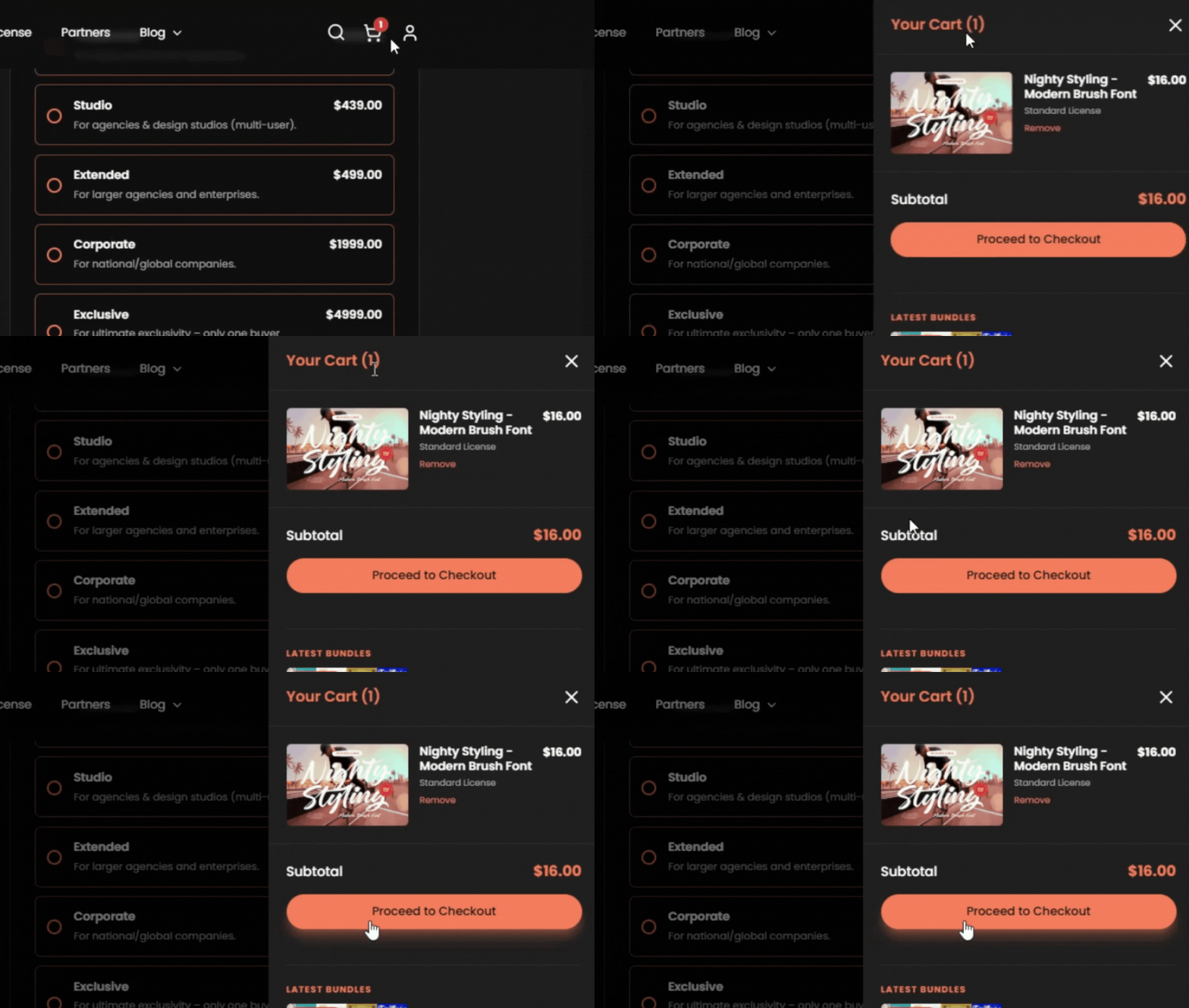
Step 4: Process Your Checkout
Ready to make it yours? Click the cart icon to review your items, then proceed to checkout. You will be directed to our secure payment page where you can complete your purchase using PayPal or a Debit/Credit Card. Just fill in your details, and you're all set.
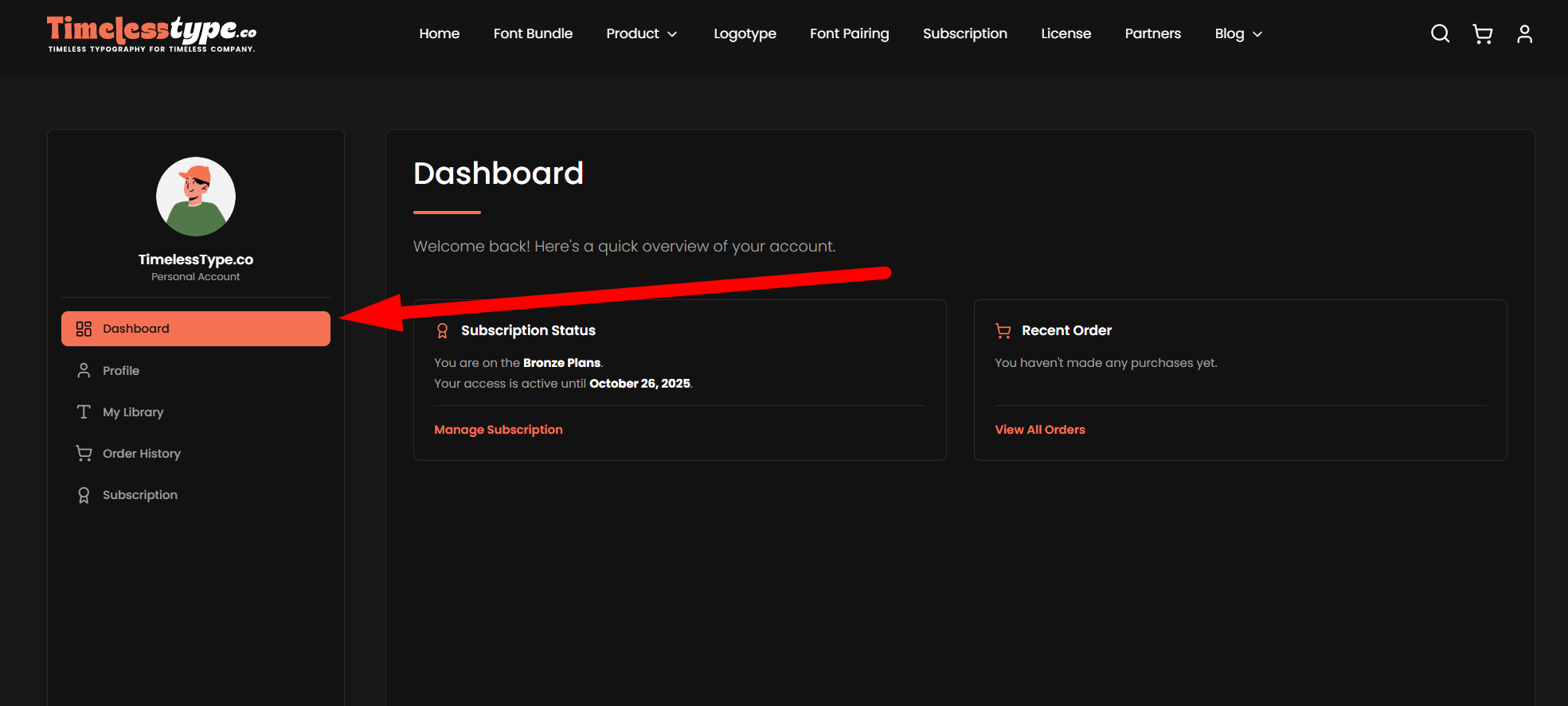
Step 5: Navigate to Your "My Fonts" Dashboard
Once your purchase is successful, the font is permanently added to your personal library. To access it, navigate to your account dashboard and click on the "My Fonts" section in the sidebar.
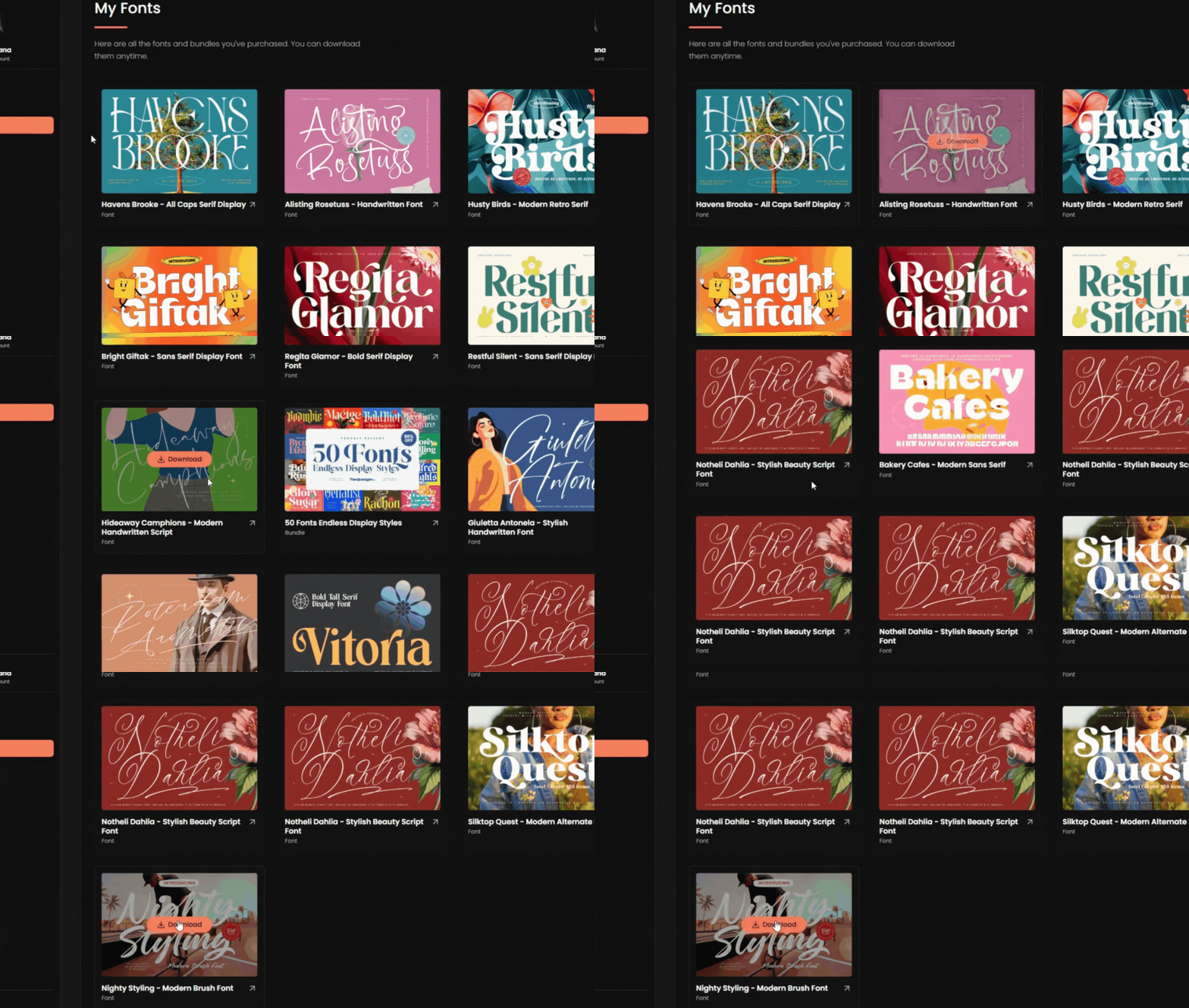
Step 6: Download Your Font!
Welcome to your personal font library! Here, you will find every font and bundle you have purchased. Locate your new font in the list and click the "Download" button. The font's .zip file will immediately begin downloading to your computer, ready for you to install and use.
And that’s it! A straightforward process to own a piece of timeless typography. We hope this guide was helpful, and we can't wait to see what you create. Happy designing!
Related
Tags
Browse similar work by purpose and style.
.jpg&w=1920&q=75&dpl=dpl_Gc2H6qw5qz6tftmNLm7EMoaFVtW7)
.jpg&w=1920&q=75&dpl=dpl_Gc2H6qw5qz6tftmNLm7EMoaFVtW7)
.jpg&w=1920&q=75&dpl=dpl_Gc2H6qw5qz6tftmNLm7EMoaFVtW7)
.jpg&w=1920&q=75&dpl=dpl_Gc2H6qw5qz6tftmNLm7EMoaFVtW7)
.jpg&w=1920&q=75&dpl=dpl_Gc2H6qw5qz6tftmNLm7EMoaFVtW7)
.jpg&w=1920&q=75&dpl=dpl_Gc2H6qw5qz6tftmNLm7EMoaFVtW7)
.jpg&w=1920&q=75&dpl=dpl_Gc2H6qw5qz6tftmNLm7EMoaFVtW7)