


.jpg&w=256&q=75&dpl=dpl_Gc2H6qw5qz6tftmNLm7EMoaFVtW7)
.jpg&w=256&q=75&dpl=dpl_Gc2H6qw5qz6tftmNLm7EMoaFVtW7)
.webp&w=256&q=75&dpl=dpl_Gc2H6qw5qz6tftmNLm7EMoaFVtW7)
.webp&w=256&q=75&dpl=dpl_Gc2H6qw5qz6tftmNLm7EMoaFVtW7)



Tutorial
Instant Access: How to Download Fonts with Your Subscription
Insights, tutorials, and type notes from the Timeless Type studio.
.jpg&w=1920&q=75&dpl=dpl_Gc2H6qw5qz6tftmNLm7EMoaFVtW7)
Table of Contents
As a Timeless Type subscriber
you have the entire font library at your fingertips. We've created a seamless, one-click process that lets you add any font to your personal library instantly, without ever needing to go through a checkout page.
This guide will show you how to take full advantage of your subscription benefits. Let's dive in!
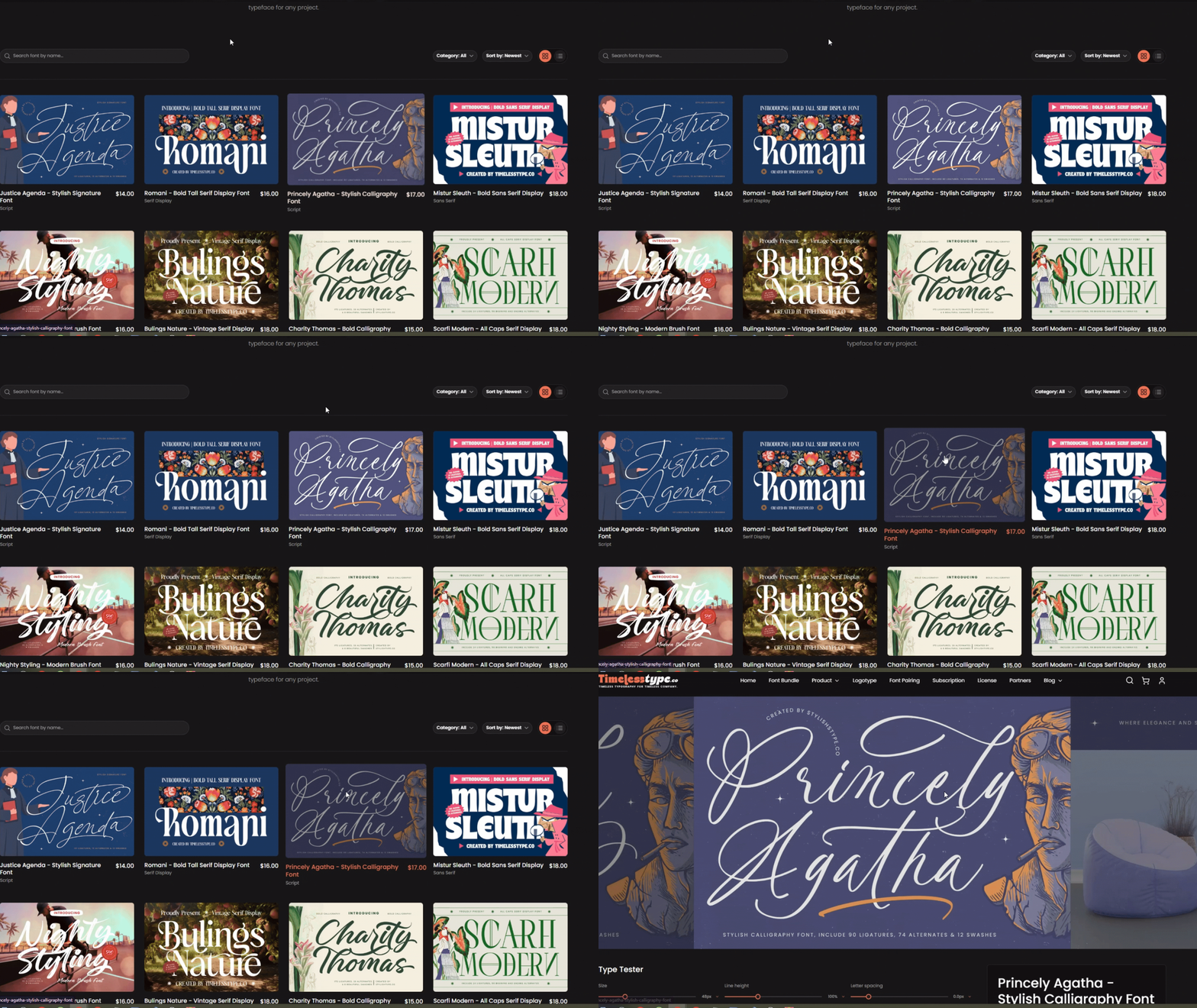
Step 1: Discover and Select Your Font
Log in to your account and start exploring our extensive collection of fonts. When you find a typeface that's perfect for your next project, click on it to go to its detail page. Here, you can experiment with the type tester and view the font in use.
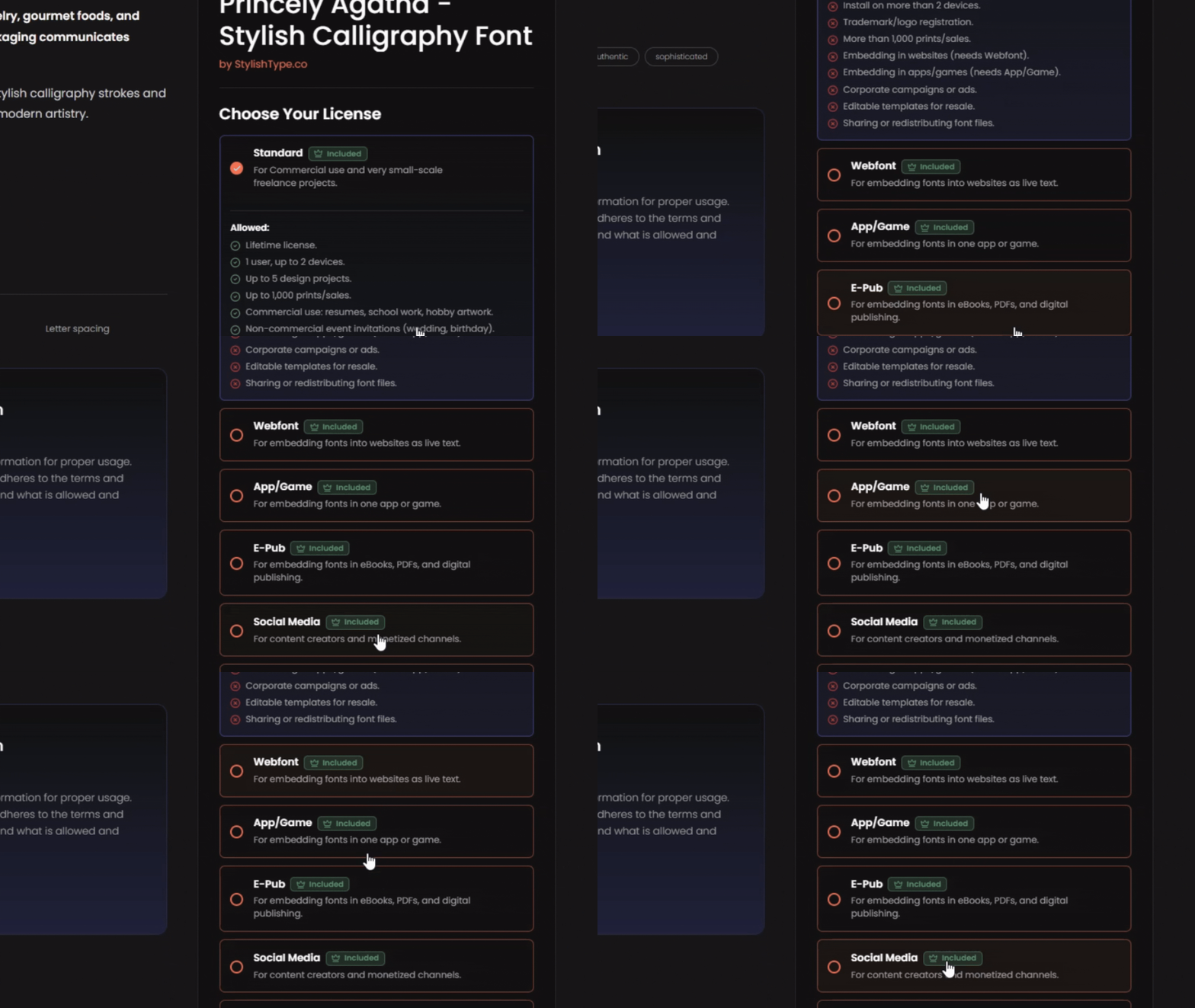
Step 2: Look for the "Included" Label
On the font detail page, you'll see the license options. Because you're a subscriber, licenses covered by your plan will be clearly marked with a green "Included" label. This is your sign that you can claim this font for free as part of your subscription benefits.
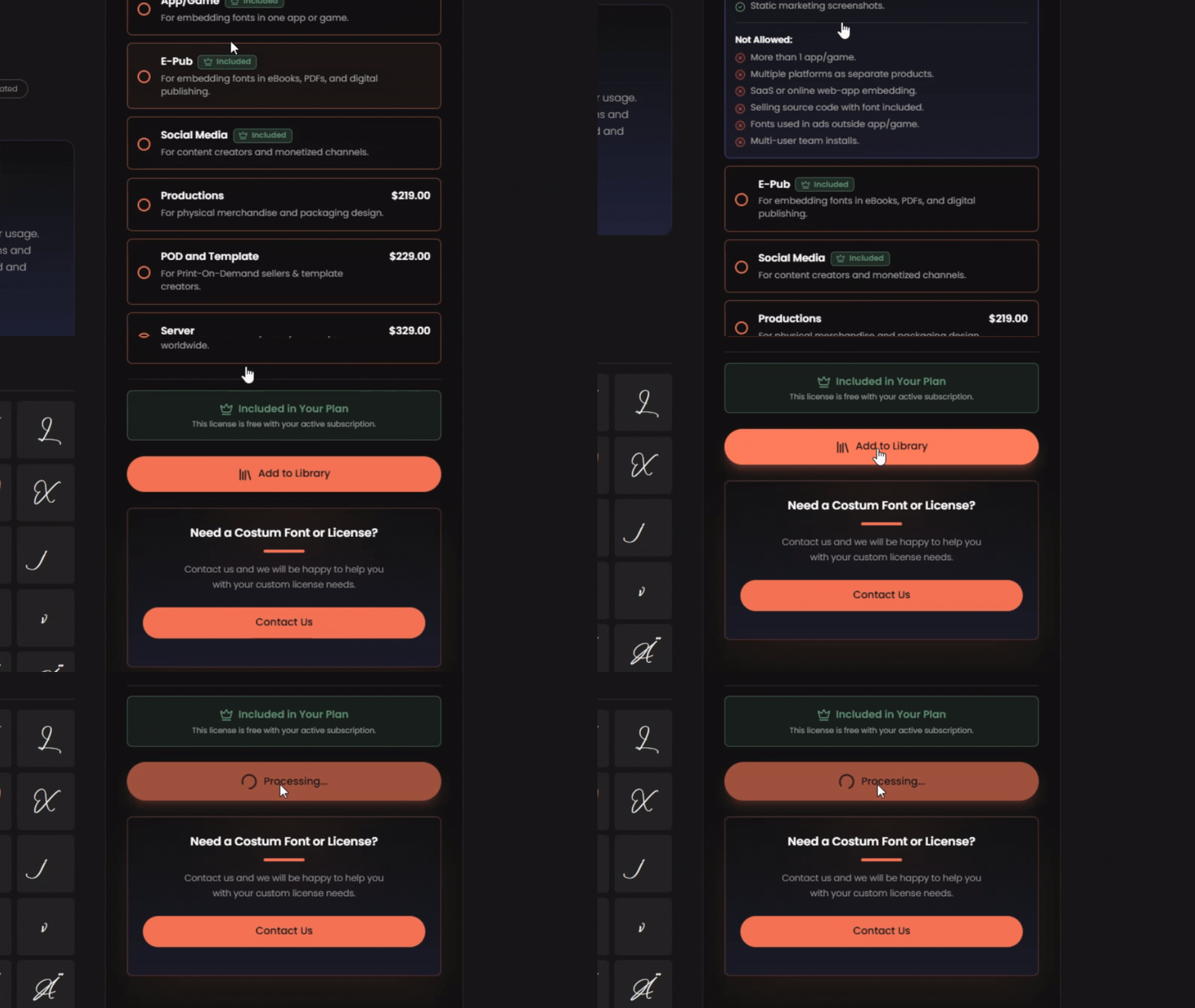
Step 3: Add to Your Library with One Click
Instead of an "Add to Cart" button, you will see a button that says "Add to Library." Simply click it. The font will be instantly and automatically added to your personal "My Fonts" collection in your account dashboard. A confirmation pop-up will let you know it was successful.
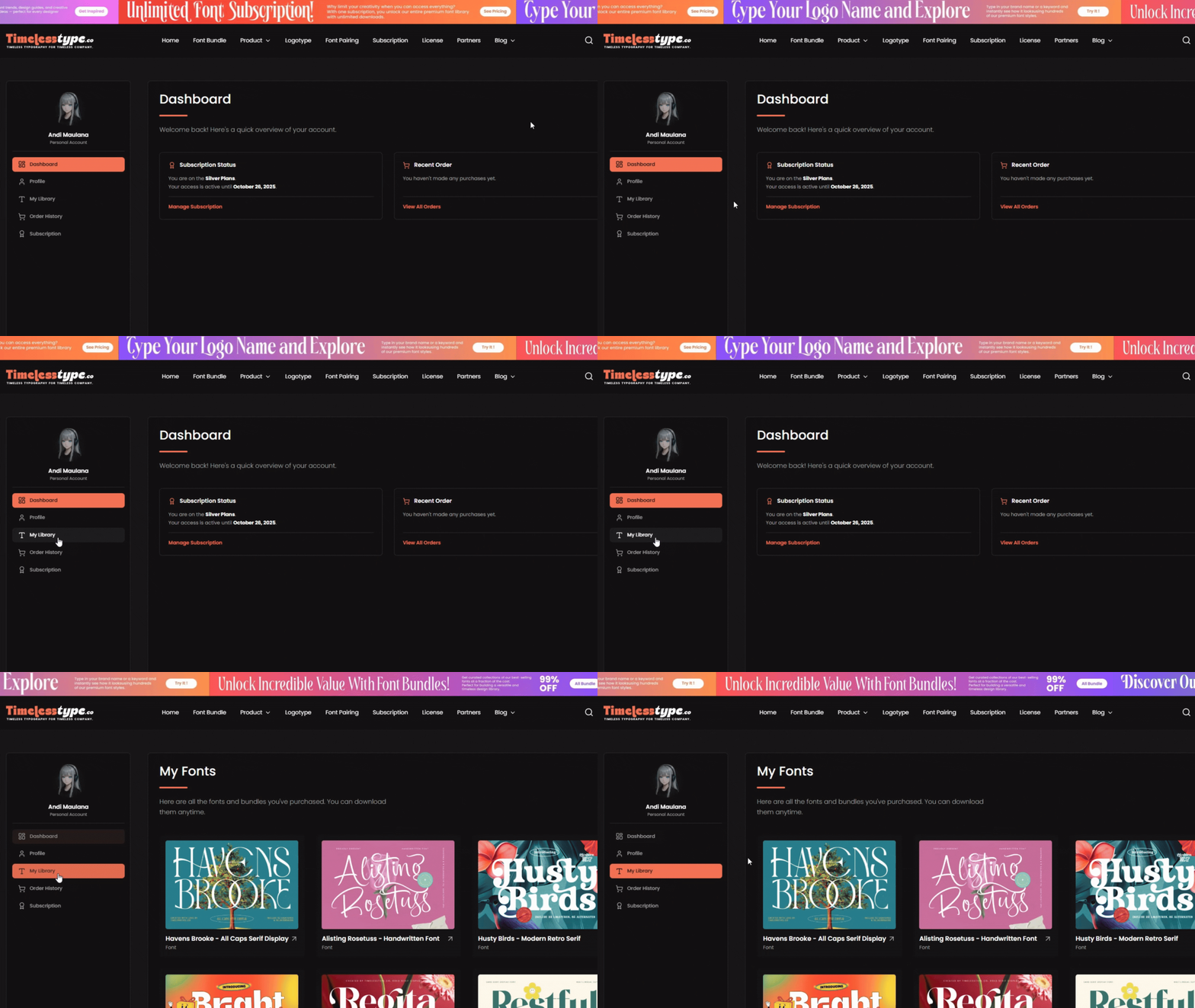
Step 4: Download from Your Library—Instantly & Unlimited
Navigate to your account dashboard and click on "My Fonts." You will see the new font waiting for you at the top of your collection. You can now download it immediately by clicking the "Download" button. Do this for as many fonts as you like—your access is unlimited.
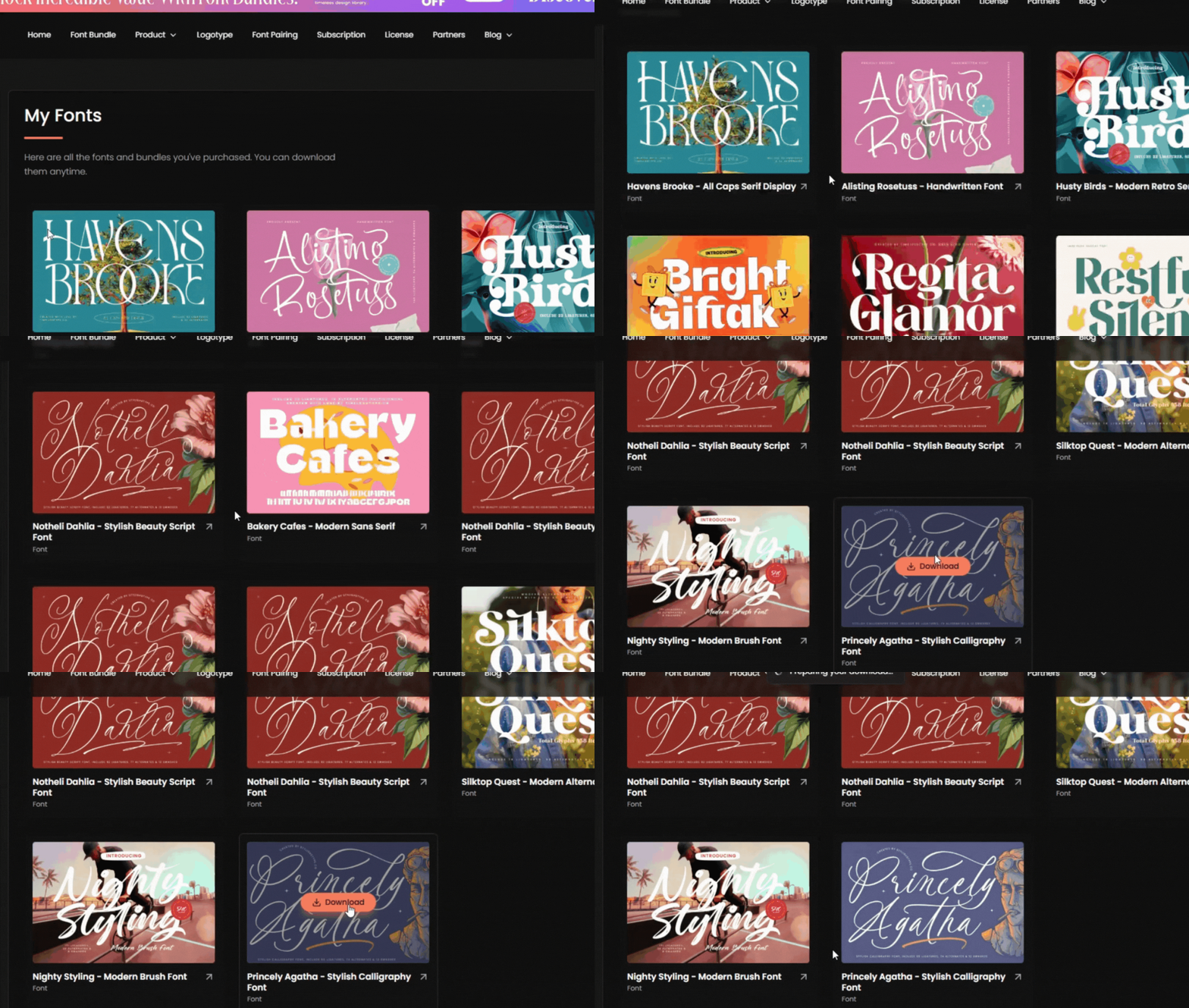
And that's all there is to it! Enjoy the freedom of building your professional font library with zero friction. Thank you for being a subscriber, and happy creating!
Related
Tags
Browse similar work by purpose and style.
.jpg&w=1920&q=75&dpl=dpl_Gc2H6qw5qz6tftmNLm7EMoaFVtW7)
.jpg&w=1920&q=75&dpl=dpl_Gc2H6qw5qz6tftmNLm7EMoaFVtW7)
.jpg&w=1920&q=75&dpl=dpl_Gc2H6qw5qz6tftmNLm7EMoaFVtW7)
.jpg&w=1920&q=75&dpl=dpl_Gc2H6qw5qz6tftmNLm7EMoaFVtW7)
.jpg&w=1920&q=75&dpl=dpl_Gc2H6qw5qz6tftmNLm7EMoaFVtW7)
.jpg&w=1920&q=75&dpl=dpl_Gc2H6qw5qz6tftmNLm7EMoaFVtW7)
.jpg&w=1920&q=75&dpl=dpl_Gc2H6qw5qz6tftmNLm7EMoaFVtW7)